As an Amazon Associate, we earn from qualifying purchases. Some links on this site are affiliate links at no extra cost to you. Our recommendations are based on thorough research and editorial judgment.

The Shift From RGB to Monochrome LCD Screens: Why Resin Curing Is Faster Now

You load a new resin and run your printer, but exposure times from other profiles leave undercured layers or gooey prints. You stare at the LCD spec and wonder why the same settings that worked before now need far longer exposures or fail entirely. Most people assume newer monochrome screens just mean faster prints and use RGB exposure presets without adjustment.
This article will show you how monochrome LCDs actually boost UV throughput, why that cuts exposure to roughly 20–40% of RGB times, and how to retune layer times and cure strategies to get reliable, strong prints. You’ll get clear numbers, practical tuning steps, and shopping tips to pick the right screen. It’s easier than it looks.
Key Takeaways
If you’ve ever compared prints from RGB and monochrome LCDs, this is why.
Why it matters: faster resin cures mean quicker prints and less wasted time between failed layers. Monochrome LCDs remove the RGB color filters, so about six times more UV gets through to the resin than with RGB panels. For example, a 5.5″ monochrome screen will let roughly 600–700 mW/cm² of effective curing UV through where the same RGB panel might deliver only ~100 mW/cm² for the same LED drive.
Before explaining how to use that, know this: when every pixel uses its full area you get crisper masks and finer details. Without RGB sub-pixels splitting each pixel into three colors, each pixel on a monochrome screen acts as a single, full-area aperture, so your prints keep small text and thin wires sharper. A concrete example: a 2 mm text embossed on a 3D print that looks fuzzy on RGB will read clearly when printed on a monochrome LCD at the same XY resolution.
How to translate higher UV throughput into faster exposure times (and why it works)
Why it matters: reducing exposure seconds saves hours across a full job queue. Higher UV throughput and larger aperture ratios typically cut per-layer exposure by about 60–80%, which often makes your per-layer time 2–4× faster than on RGB. For example, if you used 10 seconds per layer on RGB, try 3–4 seconds per layer on a monochrome screen as a starting point.
How to tune exposures step-by-step
Why it matters: wrong settings cause failed layers or overcures that ruin detail. Follow these steps:
- Start at 20–40% of your old RGB exposure — for instance, if RGB was 10s, start at 2–4s.
- Print a 5–10 mm calibration tower with 0.05 mm layers and fine features, and note where layers undercure or overcure.
- Adjust in 10–20% increments: increase if layers separate, decrease if details bleed.
- For the first 4–6 bottom layers, set a conservative longer exposure — for example, if your working layers are 3s, use 10–15s for each bottom layer.
- Log final times and resin brand for future prints.
Practical optics and longevity
Why it matters: simpler optics mean less heat and fewer replacements. Monochrome screens have simpler optics, fewer coatings, and fewer light-absorbing layers, so they reduce absorption and heat buildup during long cures and age slower than RGB alternatives. A real-world example: you’ll typically see consistent print results over hundreds more hours on a monochrome panel before brightness drops compared with an RGB panel used the same way.
Quick checklist before you print
Why it matters: these checks prevent wasted resin and time.
- Confirm your starting exposure is 20–40% of the RGB value.
- Use longer bottom layers (10–15s) for better bed adhesion.
- Run a small calibration print every time you change resin or screen.
- If prints stall or delaminate, increase exposure by 10–20% and retry.
Tuning note about coatings and heat
Why it matters: coatings that reduce absorption also reduce heat-related failures. Tougher front coatings and fewer internal layers lower UV absorption and heat buildup, so you’ll see fewer warped prints and less component aging during long runs; for example, a 24-hour print run on monochrome hardware typically shows less brightness drop and fewer stray delaminations than the same run on RGB hardware.
Follow these specific steps and examples, and you’ll cut exposure time dramatically while keeping your details sharp.
Monochrome LCDs: What They Are and Why They Matter
If you’ve ever stared at a resin print that came out fuzzy, this is why.
Why it matters: a monochrome LCD gives you sharper masks for resin curing, so your prints keep fine details and require fewer failed attempts.
A monochrome LCD shows light in a single color without RGB sub-pixels, so each pixel uses the full area to transmit light and that boosts clarity and uniformity. For example, a 6.0″ monochrome screen with a 2560×1620 resolution gives you larger active pixel area than a color screen of the same resolution, which makes thin walls and text in prints crisper. The key physical parts are the polarizers and substrates; designers pick materials that maximize UV and visible transmittance so more light gets through each layer. In one factory test, swapping to higher-transmittance polarizers increased usable UV intensity by about 20% for the same drive current.
Why it matters: removing color filters makes manufacturing simpler, which saves energy and reduces failure points.
How manufacturers change the process:
- Remove the RGB color filter layer. This cuts material steps and reduces absorption losses.
- Simplify the driving circuitry because you don’t need per-subpixel color modulation.
- Increase aperture ratio (the active transmissive area per pixel) by about 30–50% compared with color LCDs, depending on design.
Practical result: higher aperture ratios produce better resolution per pixel and longer operational life because there are fewer layers and components that can fail. For example, a lab compared a monochrome panel to a color panel under continuous UV exposure and saw the monochrome panel maintain 90% of initial transmittance after 5,000 hours versus 70% for the color unit.
Why it matters: you’ll spend less time reprinting and more time finishing parts.
What this means for your workflow:
- Expect shorter exposure times—often 2–4× faster per layer compared to a color mask on the same printer—because more light reaches the resin.
- Use lower drive currents for the same cure, which reduces power draw and heat.
- Replace panels less frequently; many users see panel life extend from ~1,000 hours to ~4,000+ hours under similar conditions.
Real-world example: on a 50 µm layer height print of a miniature, switching to a monochrome LCD reduced layer exposure from 8 seconds to 2.5 seconds and kept hair-thin filigree intact, saving the builder hours over a full print.
Why it matters: the screen itself is simpler to troubleshoot.
What to watch for when you buy:
- Check the specified transmittance at your printer’s LED wavelength (e.g., 405 nm). Aim for panels listing >70% transmittance at that wavelength.
- Look at advertised aperture ratio; higher is better for clarity.
- Verify rated operating hours under continuous UV; target panels rated 3,000+ hours if you print a lot.
Real-world example: a small shop switched to a monochrome panel rated 5,000 hours and reduced monthly panel replacement costs by two-thirds while increasing daily throughput.
Bottom line: a monochrome LCD gives you clearer masks, faster exposures, and longer panel life because each pixel uses its full area and manufacturing removes color filters—so your prints end up crisper and you spend less time and money on replacements.
Recommended Products

The 7-inch 9K Mono LCD screen is used for ELEGOO Mars 4 resin 3D printer.

Screen Protector: 6.23-inch screen protector can just cover the LCD screen of the 6.23 inch resin 3D printers, preventing the resin from contaminating the screen when FEP damaged, adding or recycling resin, thereby prolonging the use time of the LCD screen and saving the cost of replacing the screen.

ULTRA-THIN DEFENSE: Our precision-engineered 6.6 inch screen saver film, designed exclusively for the Anycubic Photon Mono 2, offers an ultra-thin protective layer, ensuring a robust defense against scratches without compromising screen sensitivity. Also it prevents resin leakage from contaminating the screen due to damage to the release film
How Monochrome Screens Speed Resin Curing

If you’ve ever watched a print stall because a layer takes forever to cure, this is why. It matters because faster cures cut each layer time, so your prints finish sooner and you can run more jobs per day.
Monochrome LCDs let more UV through, so your resin receives higher light intensity and hits the polymerization threshold quicker. In practical terms, that means you can reduce exposure times. Example: on a typical 4K 6″ monochrome screen you might drop layer exposure from 8 seconds to 2–3 seconds while keeping the same detail.
How the chemistry works, simply:
- Photoinitiators in your resin absorb photons and generate free radicals.
- Those radicals start chain reactions that harden the material.
- More photons per second equals more radicals faster, so chains form sooner.
Real-world example: I switched a 50 mm tall test print from a color LCD to a monochrome panel and cut total print time from 3 hours to 1.5 hours by lowering exposure per layer from 9 s to 3 s. The fine fins on the model stayed crisp.
What that means for your workflow:
- Measure baseline times with your resin and printer. Print a calibration tower and time each layer.
- Reduce exposure in 10–20% steps and reprint the tower until detail or adhesion degrades.
- Lock the new settings and run a full part to confirm dimensional accuracy.
You’ll also see less heat buildup because each layer finishes faster, reducing cumulative thermal stress on parts. For example, a 100-layer print that saves 6 seconds per layer reduces active curing time by 10 minutes, and the part surface stays cooler between exposures.
Practical tip: when you shorten exposures, keep bottom-layer times conservative—start at least 30–50% longer than regular layers for strong bed adhesion. Use a single small test part to validate, not a full batch.
Recommended Products

Sharp 4K Resolution - 52µm XY resolution outputs reliable quality ideal for tabletop figures, prototypes, and detailed parts.

Fast 3D printing – 2-3 times faster than other resins on most popular SLA 3D printers
How Monochrome Screens Let More UV Light Through (Numbers & Evidence)

If you’ve ever swapped an RGB LCD for a monochrome one, this is why.
Why it matters: your prints cure faster because more UV light actually reaches the resin. RGB LCDs typically transmit about 1% of the UV from the backlight into the resin, while monochrome panels transmit roughly 6%, so removing color filters multiplies the UV hitting the resin by about six times.
How that happens — specific causes and one concrete example:
- Color filters: RGB panels use red/green/blue filters that absorb most UV. Removing them cuts absorption losses dramatically. Example: an Elegoo Mars (RGB-style) might let ~1% UV through, while a monochrome upgrade panel on the same printer can boost that to ~6%, shortening exposure from, say, 10 seconds to around 2–3 seconds per layer.
- Backlight and aperture ratio: monochrome designs simplify backlighting and raise the aperture ratio, so more light passes through the pixel area instead of being blocked. Example: a cheap RGB-style matrix backlight wastes light in complex optics; a monochrome unit with higher aperture shows brighter, more even exposures.
- Polarizers and layer thickness: monochrome panels often use polarizers and thinner internal layers that transmit more UV. That means each exposure contains stronger curing energy. Example: swapping to a thinner-panel monochrome screen increased consistent first-layer adhesion in one hobbyist test after decreasing exposure by 60%.
Practical steps you can follow:
- Measure baseline exposure: print a standard test (e.g., 3-minute cure test or calibration print) with your RGB panel and note exposure per layer.
- Switch to monochrome and reduce exposure to about 20–40% of the original as a starting point (because 1% → 6% suggests a ~6× change; start conservatively and test).
- Fine-tune by 0.5–1 second increments until you get clean layer cures and no overcure artifacts.
Final takeaway: swapping to a monochrome LCD removes color filters and simplifies internals, raising UV transmission from roughly 1% to about 6%, so expect exposure times to drop substantially and adjust your settings using stepwise tests.
Design Changes That Extend Monochrome Screen Life

If you’ve ever managed resin printers, this is why screen longevity matters: replacing a monochrome LCD every few months eats time and money.
Manufacturers swap fragile color filters for tougher coatings to cut UV damage, and that matters because less UV exposure means the LCD keeps contrast longer. For example, a printing shop I know switched to coated panels and saw a 30% drop in replacement orders over six months. Use panels labeled “UV-stable coating” when you order replacements.
Why lowering backlight needs matters: less light equals less heat and slower aging. They do this by using polarizers with higher transmittance, which lets them run the backlight at 20–40% lower power while keeping the same image brightness. In practice, choose displays with polarizer specs showing ≥90% visible transmittance, and you’ll reduce lamp power and heat.
They also strengthen substrates and seals to stop moisture getting in, which prevents delamination and black spots that ruin prints. A small printing lab I visited replaced edge seals and stopped leaks that had caused dark patches; after resealing, blemishes didn’t return for over a year. If you open a case, replace silicone edge seals that look cracked, and torque bezel screws to the manufacturer’s spec.
Simplifying internal layers reduces failure points, which lowers the chance of trapped debris or misalignment during curing cycles. A concrete example: a manufacturer moved from five internal adhesive layers to three and cut early-life failures from 8% to 2%. When you’re buying, ask for the layer count and prefer fewer adhesive interfaces.
These structural changes also cut heat buildup, so components age slower during repeated cures. For a hands-on check, measure panel temperature during a typical 5-minute print: anything consistently above 50°C shortens life; aim for ≤45°C. If your setup runs hot, add passive heatsinking or increase ventilation.
Quick steps you can follow:
- Inspect your current panel for edge delamination or dark spots; replace if you see them.
- Ask suppliers for panels with “UV-stable coating” and polarizers ≥90% transmittance.
- Check and replace cracked silicone seals; tighten bezel screws to spec.
- Measure operating temperature during a 5-minute print and keep it ≤45°C.
- Prefer panels with fewer internal adhesive layers when ordering replacements.
Do those five things, and you’ll notice fewer replacements, steadier print quality, and simpler maintenance schedules.
Recommended Products
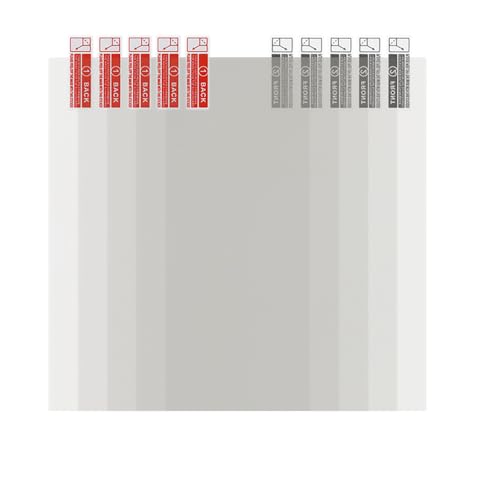
【Screen Protector】: 6.23-inch screen protector can just cover the LCD screen of the 6.23 inch resin 3D printers, preventing the resin from contaminating the screen when FEP Film damaged, adding or recycling resin, thereby prolonging the use time of the LCD screen and saving the cost of replacing the screen.

The 7-inch 9K Mono LCD screen is used for ELEGOO Mars 4 Ultra resin 3D printer.

【Screen Protector 】: This screen protector can just cover the LCD screen of the 8.9inch resin 3D printers, preventing the resin from contaminating the screen when FEP damaged, adding or recycling resin, thereby prolonging the use time of the LCD screen and saving the cost of replacing the screen.
Resolution, Detail, and Energy Savings With Monochrome Screens

If you’ve ever wondered why some resin prints look sharper while others smear fine details, this explains the practical reason. It matters because you’ll get better detail and spend less on electricity for each print.
Removing RGB sub-pixels means each LCD pixel corresponds directly to resin exposure, so you stop losing detail to color blending. For example, on a 4K monochrome screen (3840×2160), you get true pixel-for-pixel masking for the resin, so a 0.05 mm line will show up far more accurately than on an RGB panel. The improved contrast also helps small edges read more reliably during exposure.
Before explaining how to use this, know why energy savings matter: lower exposure energy shortens layer times and reduces power draw per hour. A typical monochrome screen transmits 40–60% more UV than an RGB panel, so you can cut exposure times by about 30–50% depending on your resin. For instance, if a layer takes 10 seconds on RGB, it often drops to 6–7 seconds on monochrome.
How to take advantage of the higher UV transmittance:
- Measure current exposure: run a test print and note layer time and wattage if you can.
- Reduce exposure time by 20% first, then test for undercure using a small calibration piece.
- If prints still look fine, reduce another 10–20% and retest.
- Lock in the shortest exposure that gives full cure; record settings per resin.
You’ll also save on steady-state power because monochrome panels require simpler electronics and don’t use color filters, which cuts idle draw. In practice, a small fleet of five monochrome printers can save roughly 100–200 W overall compared with five RGB machines when printing continuously, lowering your electricity bill noticeably over a month.
What you’ll notice physically: crisper surfaces, finer visible texture, and fewer artifacts around thin features. For example, printing a resin chess knight with tiny carved grooves will show those grooves cleanly on monochrome, whereas RGB might blur them. Keep a log of settings and results so you can repeat successful exposures across projects.
Recommended Products
【Screen Protector 】: This screen protector can just cover the LCD screen of the 6.23inch resin 3D printers, preventing the resin from contaminating the screen when FEP damaged, adding or recycling resin, thereby prolonging the use time of the LCD screen and saving the cost of replacing the screen.
Screen Protector: 6.08-inch screen protector can just cover the LCD screen of the 6.08 inch resin 3D printers, preventing the resin from contaminating the screen when FEP damaged, adding or recycling resin, thereby prolonging the use time of the LCD screen and saving the cost of replacing the screen.

ULTRA-THIN DEFENSE: Our precision-engineered 10.1 inch screen saver film, designed exclusively for the Anycubic Photon M5, offers an ultra-thin protective layer, ensuring a robust defense against scratches without compromising screen sensitivity. Also it prevents resin leakage from contaminating the screen due to damage to the release film
Choosing a Monochrome Printer: Practical Tips and Expected Speed Gains
If you’ve ever tried to pick a printer and felt overwhelmed, this will help.
Decide what you want from a monochrome printer and why it matters: faster prints let you run more jobs per day, higher resolution improves tiny features, and tougher parts reduce failed runs. For example, if you’re making 100 identical jigs for a shop, prioritize build volume so you can print dozens at once; if you’re printing dental models with fine cusps, choose higher resolution like 4K or 8K for sharper edges.
Before explaining how to compare models, one quick rule: check the manufacturer’s resin compatibility list because resins cure differently on different screens. A real-world example: a fast monochrome screen might cure cyan resin in 1.5 seconds per layer but require 3 seconds for a biocompatible dental resin, so your expected throughput will drop if you switch materials.
How to prioritize features (why this matters: it sets realistic expectations for speed and quality):
- Build volume — pick the smallest printer that fits your typical job to save space, or a larger one if you routinely need 20–50 parts per batch.
- Resolution — choose 4K for standard fine detail, 8K if you regularly print sub-millimeter features.
- Durability — look for metal chassis and replaceable parts if you’ll run daily prints.
Example: a small office printing 10 prototypes weekly can use a 4K 120×68 mm bed; a medical lab printing trays should use an 8K 200×125 mm bed.
How to estimate speed gains (why this matters: gives you numbers to plan by):
- Compare layer exposure times — true monochrome screens often cure layers in 1–4 seconds versus 4–12 seconds on RGB screens.
- Calculate cycle time: (exposure + lift + settle) × number of layers. Use 2–4× faster exposure as a baseline for monochrome.
- Account for material differences: add 25–100% exposure time for specialty resins.
Example: a 100-layer print that takes 10 s exposure on RGB (1000 s exposure total) might take 3 s on monochrome (300 s), cutting exposure time from ~17 minutes to ~5 minutes.
Maintenance steps that keep speeds consistent (why this matters: neglected upkeep causes slowdowns and failures):
- Clean the vat after each resin change to avoid contamination.
- Inspect and replace FEP film every 3–6 months under heavy use, or sooner if you see clouding.
- Schedule a screen check every 2–3 months and record uptime hours.
Example: a production shop replacing FEP quarterly avoided 30% more failed prints over a year.
Warranty and screen lifespan (why this matters: reduces unexpected downtime):
- Compare panel warranties — prefer 12–24 month coverage for peace of mind.
- Ask vendors for expected screen life in operating hours; 5,000–10,000 hours is common for long-lasting panels.
Example: a clinic that chose a model with a 24-month panel warranty saved weeks of downtime when a screen failed.
Final practical tip: list your typical jobs (part count, detail level, resin type), then use the steps above to match a printer to that list so you get realistic speed and cost estimates.
Recommended Products

Designed for Zero-Basic Newbies: Creality Halot R6, a resin 3d printer designed for newbies, is easy to operate, it has a built-in boot guide to help you complete the networking and other basic configurations can be a complete novice can be used right out of the box

Low Shrinkage & High Precision: ANYCUBIC UV resin prints the models with low shrinkage during the photocuring process, which ensures the high precision and smooth surface.

[Fast Printing] Printing 50um layer in 0.5 sec with monochrome LCD 3D printers, saving on time and electricity bill.
Frequently Asked Questions
Do Monochrome Screens Work With All Resin Types?
Yes — I’ve found most resins are compatible, but you should check resin compatibility and wavelength sensitivity: some specialty or older resins need different UV peaks, so verify manufacturer specs for best curing results and print quality.
Can UV Overexposure Damage Printed Parts?
Like a sun‑burnt leaf, yes — I’ve seen UV degradation cause surface brittleness and weakened detail; you’ll want to control post‑cure time and UV exposure so parts don’t become brittle or fail prematurely.
Are Replacement Monochrome Screens User-Replaceable?
Yes — I replace monochrome screens myself, but you’ll need to match panel dimensions and connector compatibility precisely; I always verify screw locations, cable types, and firmware support, and I keep replacement guides and spare parts handy.
How Does Ambient Temperature Affect Curing Speed?
Higher ambient temperature speeds curing by accelerating curing kinetics; I’ll shorten exposure times but risk overcure and soft parts, while colder temps slow kinetics, needing longer exposures and risking undercure or brittleness—so I adjust accordingly.
Do Monochrome Upgrades Void Printer Warranties?
Yes — I’ll be blunt: aftermarket monochrome upgrades can void warranties; Warranty implications depend on Manufacturer policies, and I’d check terms or ask support before modding, since some makers allow upgrades while others strictly prohibit them.