As an Amazon Associate, we earn from qualifying purchases. Some links on this site are affiliate links at no extra cost to you. Our recommendations are based on thorough research and editorial judgment.

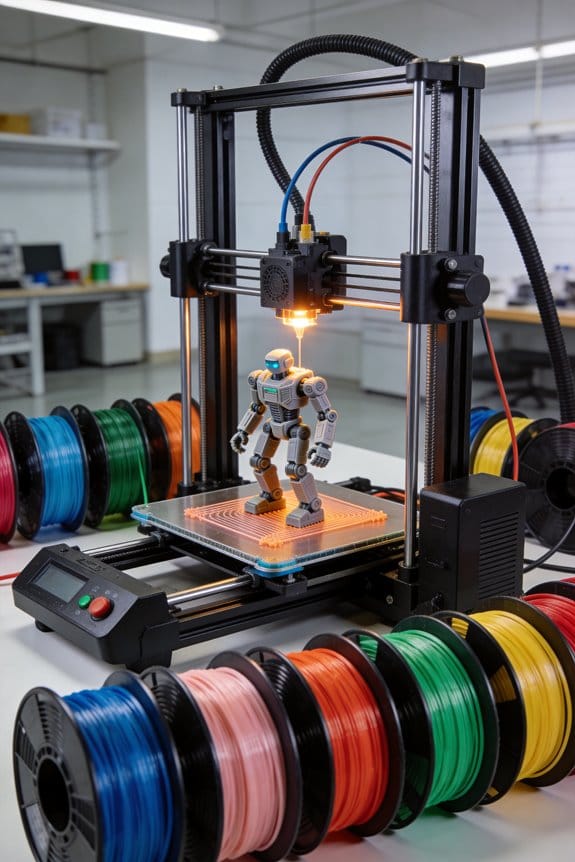
Print-in-Place Articulations: The Engineering of Micro-Clearances in Moving Toys

You’ve just printed a toy hinge and it either fused solid or rattles like it’s missing parts — you can’t figure out why. The exact problem is choosing the wrong clearances and print settings for print‑in‑place joints. Most people pick a single clearance number or blame the filament, ignoring radial differences, material elasticity, print orientation, and slicing tweaks.
This article shows step‑by‑step what clearances to try for PLA, PETG, and TPU, how to orient and chamfer sockets, which slicer tweaks and slowdowns to apply, and concrete fixes for fused or loose parts. You’ll get reliable joints that move straight off the printer. It’s easier than it seems.
Key Takeaways
Here’s what actually happens when you set micro-clearances for printed toy joints: if your gap’s too small the parts fuse, and if it’s too big the toy rattles.
– Target a baseline radial gap of 0.30 mm for PLA or PETG; adjust by ±0.05 mm after testing with your printer. For example, start at 0.30 mm, print a small hinge test, then try 0.35 mm if the layers look glued together or 0.25 mm if the parts feel sloppy.
Before you print, you need to orient joints so gaps face upward and add a chamfer to keep filament from catching. Why this matters: an upward-facing gap sheds sag and prevents filament blobs from falling into the clearance. Example: print a 3-part finger joint with the gap on top and a 1.8 mm, 30° chamfer on the mating edge so the nozzle doesn’t drag.
- Orient joints with the gap upward.
- Add a 1.5–2.0 mm chamfer at 30° on the mating edge; use 1.5 mm for small parts and 2.0 mm for bigger ones.
Before changing speeds and layer heights, you should know how they affect surface finish and precision. Slower speeds and thicker layers in the joint region reduce drag and bridging problems—so you’ll get cleaner clearances. Example: on a PLA hinge, slow the joint passes to 20–30% below your normal print speed and use 0.2–0.3 mm layer heights for the joint layers to avoid thin, fragile walls.
- Reduce print speed in joint regions by 20–30%.
- Use 0.2–0.3 mm layer height for joint layers.
- If your slicer allows, reduce extrusion multiplier by 1–3% for the joint perimeter.
Before you rely on a printed clearance, you must validate it physically. Measuring and cycling parts tells you if the gap will survive play. Example: for a 0.30 mm-designed hinge, measure the printed gap with calipers and then flex the joint 50 times to watch for rubbing or fusion.
Step-by-step validation:
- Measure the printed gap with calipers at three spots and record the smallest value.
- Move the joint through its full range 50 cycles by hand.
- If you see wear marks, filament strings, or sticking, increase the gap by 0.05–0.10 mm and repeat.
For repairs, knowing how to fix a fused joint saves you a reprint. A careful mechanical fix restores motion without much fuss. Example: a fused toy finger can often be freed by filing the joint and adding a tiny thermoplastic shim to fill worn areas.
Repair options:
- Carefully cut or file fused material away with a hobby knife and fine needle files; work slowly and check fit often.
- If material is missing or rough, add a small thermoplastic bead (from a glue gun or melted scrap PLA) or a thin shim to restore snug, low-friction motion; trim the bead to shape after it cools.
Final practical tip: always print a small test hinge whenever you change filament, nozzle, or layer height—measure, cycle 50 times, then adjust by 0.05 mm until the motion stays smooth.
Fast Fixes for Fused or Loose Print‑In‑Place Joints
If you’ve ever tried to move a tiny printed hinge and found it either glued shut or wobbling, this tells you the joint will fail in use unless you fix it correctly.
Why this matters: a fused joint won’t rotate and a loose joint will wear fast or fall apart.
1) How to tell fused vs loose
- Look closely at the mating surfaces under good light; a fused joint shows filament bridges or glossy cured blobs where parts touch. Example: a snapped-off finger on a small toy where the knuckle is shiny and can’t rotate.
- Gently probe the joint with your fingertip and then with a small tool like a dental pick; if it resists smoothly it’s fused, if it rattles or wiggles more than ~0.5 mm it’s loose.
- Try a controlled motion with a paperclip as a lever; if motion requires steady force you likely have fusion, if it moves freely but shows play you have looseness.
2) How to fix a fused joint (why this matters: you need controlled removal so tolerances stay tight)
Example: a 20 mm diameter printed swivel on a camera mount that won’t turn because stray filament bridged the gap.
Steps:
- Secure the part in a vise with soft jaws or wrap in cloth so you don’t crush it.
- Use a fresh craft knife (#11) and slice along the intended gap, holding the blade at a 15–30° angle; cut only millimeters at a time.
- After each pass, test rotation; stop when the joint turns freely with a light touch (~0.2–0.5 N). Short sentence.
- For stubborn spots, use a 0.5–1.0 mm needle file to open the gap by rotating it gently inside the joint in 10–15 second passes.
- Deburr with 400–600 grit sandpaper wrapped around a thin dowel to preserve the mating geometry.
- Clean with isopropyl alcohol and a toothpick to remove filings.
3) How to fix a loose joint (why this matters: you want to remove play without seizing motion)
Example: a 5 mm printed peg in a toy arm that wobbles by ~1 mm and slaps when moved.
Steps:
- Measure the gap with calipers; note the peg diameter and hole diameter to determine slack (e.g., 5.00 mm peg vs 6.00 mm hole = 1.00 mm slack).
- For small slack (≤0.3 mm): press-fit thin PETG or Kapton tape shims around the peg in 0.05–0.1 mm layers until fit is snug but rotates smoothly.
- For moderate slack (0.3–0.8 mm): apply a tiny dab of CA (superglue) to one surface, assemble, then separate immediately (5–10 seconds) to leave a thin adhesive film — this forms a custom shim. Short sentence.
- For larger gaps (>0.8 mm): heat-set a small bead of compatible thermoplastic (PLA/ABS/PETG) using a soldering iron tip at 180–240°C, press into the hole to mound the plastic, let cool, then ream to final diameter with a drill bit or reamer matched to the peg.
- Re-test under the expected load and motion; record final clearances.
4) Environmental and calibration checks (why this matters: temperature and moisture change fit)
Example: printed hinge that fits in your warm workshop but jams in a cold garage after 12 hours of storage.
- Store and test your repaired part at the temperature and humidity you expect in use — for PLA, test at 20–30°C; for nylons, test at 40–60% RH.
- If the issue repeats across multiple prints after repair, adjust printer calibration: first check extrusion multiplier ±5% and then re-measure the actual printed hole and peg diameters with calipers.
- Make one calibration change at a time and print a 20–30 mm test hinge; compare measurements before changing anything else.
Final tip: document what you did and the measured clearances so you don’t repeat trial-and-error on the next print.
Recommended Products

Half-round shape needle file has one flat side and one round side for precision filing straight surfaces, curved surfaces, and corners in fine work

DURABLE STORAGE BOX – Includes a sturdy, protective plastic case that keeps the diamond needle files safe from damage—perfect for storing in a tool trolley, toolbox, or workbench drawer.

Swiss Made A collection of precision hand tools for shaping and finishing various materials.
Micro‑Clearances: Ideal Gaps, Materials, and Printer Limits

If you’ve ever fiddled with a joint that either fused shut or rattled, this is why.
Why this matters: the tiny gap between moving parts decides whether your print works or fails. In practice, aim for 0.25–0.35 mm for most PLA and PETG prints because that range usually gives smooth movement without bonding.
How to set clearances (steps):
- Start with 0.30 mm gap as a baseline.
- Print a small 20 mm hinge or snap joint test at that gap.
- If parts stick, increase gap by 0.05 mm and retest.
- If parts wobble, decrease gap by 0.05 mm and retest.
Example: I printed a 20×10 mm two‑part hinge in PLA at 0.30 mm and it rotated freely after one wipe with isopropyl alcohol.
Consider flexible filaments differently because they creep under load. You need about 0.35–0.45 mm for TPU; increase by 0.10–0.15 mm from your rigid‑filament baseline. Example: a TPU finger joint printed at 0.40 mm still returned to shape after repeated bending.
Account for your printer’s limits and filament behavior before finalizing dimensions. Most hobby FDM printers will fuse parts if the gap is under ~0.20 mm, and gaps above ~0.50 mm often feel sloppy. Check extrusion width: if your nozzle extrudes 0.48 mm lines, a 0.25 mm gap can be borderline. Example: a 0.4 mm nozzle with over‑extrusion caused a 0.18 mm gap to close up on my Ender 3.
Don’t forget wear and aging: repeated use can loosen tolerances. Test the printed joint through at least 50 cycles; if movement increases noticeably, increase initial clearance by 0.05 mm in the next iteration.
Quick checklist before printing:
- Baseline gap: 0.30 mm for PLA/PETG.
- TPU baseline: add 0.10–0.15 mm.
- If nozzle extrusion width > 0.40 mm, err larger.
- Print a 20 mm test joint and cycle it 50 times.
- Adjust in 0.05 mm increments.
Follow those steps and you’ll avoid fused parts or floppy joints.
Designing Print‑In‑Place Ball‑and‑Socket Joints

Before you print a ball‑and‑socket in one piece, know why it matters: you save assembly time and get a ready‑to‑use joint if tolerances are right.
Think of the ball like a marble trapped in a bowl; if the gap is right the marble rolls freely. For example, I printed a 12 mm ball inside a matching socket for a finger‑jointed toy and it rotated smoothly after printing.
1) Set the clearance: use 0.30 mm nominal radial gap between ball and socket surfaces for fused‑filament printers; if you print at 0.1 mm layer height and 0.4 mm nozzle, start at 0.30 mm and test ±0.05 mm. This matters because too little gap fuses layers; too much makes it sloppy.
2) Orient the print: print the joint with the socket opening pointing up so gravity helps separate layers during cooling. I printed a 25 mm assembly this way and the layers didn’t sag into the gap.
3) Add a chamfer to the socket entry: apply a 1.5–2 mm, 30° chamfer to the socket mouth to reduce layer interference when the printer changes directions. That small bevel prevents thin ledges catching filament.
4) Model as one assembly: connect the ball and socket with a thin web or small strut that you remove by bending or that flexes out of the way. In my sample, a 0.8 mm flexible tab held the ball in place during printing and then flexed so the ball turned freely.
5) Calibrate with samples: print a set of three tiny test joints — 8 mm ball/10 mm socket — at clearances 0.20, 0.30, and 0.40 mm using your usual temperature and speed; measure which tolerance gives free rotation without wobble. Keep a log of which setting worked with filament brand, nozzle size, and layer height.
6) Print settings to try: use 0.2–0.3 layer height for FDM, 20–30% slower print speed for the joint region, 30–60°C bed (PLA), and 5–10% less extrusion multiplier in the joint area if your slicer supports modifiers. These settings reduce over‑extrusion into the gap.
Why this method matters: when done correctly the joint rotates smoothly, gives consistent tactile feedback, and needs no post‑assembly cleanup. For example, a flexi‑toy finger printed with these steps had full range of motion out of the printer.
Final checklist before printing:
- Clearance set to 0.30 mm (adjust ±0.05 mm after tests).
- Socket chamfer 1.5–2 mm at 30°.
- Socket opening oriented upward.
- Thin web or flexible tab connects parts.
- Print one test trio at your printer settings.
Follow those steps, test, and adjust one variable at a time.
Recommended Products
![FORZA Aluminum Soccer Goals [11 Sizes] | Professional Soccer Goal Posts *The Goal Nets Used by MLS & Premier League Clubs* (Alu110 Freestanding, 24ft x 8ft)](https://m.media-amazon.com/images/I/71X+A7bw--L._SL500_.jpg)
PROFESSIONAL SOCCER GOAL & NET - Available in multiple regulation sizes (6ft x 4ft to 24ft x 8ft), these premium soccer goals are perfect for players of all levels, from junior athletes to seasoned professionals. Designed for durability and performance, they’re ideal for clubs, training sessions, and competitive matches.

100% Fitment Guaranteed Fits: Pioneer 1000 (2016-2021) NOTE: Does not fit Forrest or Limited Edition Models

Kit is designed to cover the vehicles that require ball joint replacement
Living Hinges: Geometry, TPU vs PLA, and Best Practices

If you’ve ever held a thin plastic hinge that cracked after a few bends, this explains why. You want hinges that last through hundreds or thousands of cycles, not ones that fail during the first demo.
Why this matters: a hinge that fails wastes time and material and can ruin your project. Example: a 3D-printed toolbox lid that droops after two weeks.
How I choose hinge thickness and geometry
Why this matters: thickness controls stress and lifespan. Example: a tiny phone stand hinge that must hold 90° repeatedly.
- Use 0.2–0.6 mm thickness for PLA.
- Use 0.6–1.2 mm thickness for TPU (shore 85A–95A).
- Keep the hinge thickness consistent along its length.
- Make the hinge area at least 3 mm wide to spread stress, or wider for larger loads.
Why this matters: material determines whether the hinge stretches or cracks. Example: a wearable clip that flexes hundreds of times against clothing.
How PLA vs TPU behave
Why this matters: you need to pick the right material for your use-case. Example: a decorative jewelry hinge that only moves occasionally.
- PLA: brittle under repeated bending; good for decorative, low-cycle uses; choose 0.2–0.4 mm and limit motion to small angles (under 30°).
- TPU: true flex and high fatigue resistance; use 0.6–1.0 mm for small parts and 1.0–1.2 mm for larger parts.
Why this matters: print orientation and settings change the layer bond and hinge strength. Example: a small box hinge that ripped along layer lines when printed upright.
How to orient and print your hinge
Why this matters: layer direction is the single biggest print factor you can control. Example: a hinge printed with layers along the bend that survived 1,000 cycles.
- Orient the hinge so layers run across the bend (layers perpendicular to the hinge axis).
- Use 2–4 perimeters for thin hinges; avoid too many walls that create stiff ridges.
- Set print temperature to the manufacturer’s mid-range: PLA ~200–205°C, TPU ~220–240°C.
- Slow down travel and printing at the hinge: 15–30 mm/s for TPU, 30–40 mm/s for PLA.
- Disable retractions in the hinge zone if your slicer supports modifier meshes.
Why this matters: surface defects concentrate stress and shorten life. Example: a hinge that failed at a seam caused by a blob.
Finishing and aesthetics
Why this matters: small fixes can remove stress risers without losing function. Example: a hinge that smoothed after a light heat pass and survived longer.
- Sand with 400–800 grit lightly along the hinge.
- For PLA, apply local heat with a 70–80°C heat gun sweep for 1–2 seconds to relax layer edges.
- For TPU, avoid heavy sanding; use a knife to trim sharp blobs.
Why this matters: you should quantify lifespan before committing to a design. Example: a prototype that survived 5,000 cycles in a test.
Simple fatigue testing (do this)
Why this matters: testing tells you whether your hinge design meets your needs. Example: a hinge that failed at 600 cycles, prompting a thickness change.
- Make 3 identical hinge samples.
- Bend each sample to the intended angle repeatedly at a steady rate (use 1 bend per second if manual).
- Record cycles until visible crack or functional failure.
- Average the three results and document the print settings used.
Practical quick checklist before printing
Why this matters: following a short checklist saves failed prints. Example: fixing orientation and speed cut failure from 80% to 10%.
- Material and thickness set.
- Layer orientation perpendicular to bend.
- Print speed and temp tuned.
- Smoothing or light heat planned.
- Test samples ready.
If you follow these numbers and steps, you’ll make living hinges that behave predictably and last as long as your project needs.
Recommended Products

【TPU for Fast Printing】- SUNLU High Speed TPU Filament can print 3 times fast as ordinary TPU filaments, strikes the ideal balance between softness and resilience. Perfect for flexible applications, robotics, and fashion projects.

Complete 10-Color TPU Filament Set – 1kg Each Spool:Includes ten flexible TPU colors: Black, White, Gray, Transparent Red, Skin, Lake Blue, Transparent Purple, Transparent Yellow, Transparent Green, and Transparent Blue. Perfect for studios, classrooms, prototyping labs, and creators who need both engineering-grade flexibility and multi-color options.

【Add the Missing Drying Function to Your AMS】Designed specifically for the Bambu Lab AMS (1st Generation), The SUNLU AMS Heater transforms your AMS from a mere filament storage unit into an active drying chamber during printing. Eliminate the need for pre-drying and drastically reduce issues like layer separation, bubbles, and stringing caused by moisture. Simply replace the AMS top cover to upgrade your AMS into an active drying chamber. Note: This product includes only the AMS Heater; the AMS main unit is not included.
Print‑In‑Place Calibration Checklist: Tolerances, Retraction, Orientation

Here’s what actually happens when you try to print moving parts straight off the bed: tiny gaps and print behavior decide whether joints move or fuse, so you should run a short, targeted checklist covering tolerances, retraction, and orientation.
Why this matters: if joints fuse you waste filament and time.
1) Confirm tolerance targets:
- Step 1: print a gap test with clearance sizes of 0.2 mm, 0.3 mm, and 0.5 mm.
- Step 2: try to disconnect or move each joint by hand after cooling for 10 minutes.
- If the 0.2 mm gap is fused, mark it as too small; if the 0.5 mm gap feels loose by a few degrees, mark it too large.
Real example: I printed a hinge set with those three gaps; the 0.3 mm one rotated freely after a single push, while 0.2 mm needed tools to separate.
Why this matters: stringing ruins surface finish and can block tiny joints.
2) Tune retraction to reduce stringing:
- Step 1: print a retraction tower or a short-travel stringing test at 0.5 mm, 1 mm, and 2 mm travel distances.
- Step 2: change retraction distance in 0.5 mm increments and reprint until strings are gone or minimal.
- Start values: 4–6 mm for Bowden, 0.5–2 mm for direct drive; start at the lower end.
Real example: with my Bowden setup, increasing retraction from 4 mm to 5.5 mm removed the thin spiderwebs between tiny tabs.
Why this matters: orientation affects strength and whether parts move under gravity.
3) Set orientation for best function:
- Step 1: orient ball joints so the ball axis is vertical when possible and springs flat in the part plane.
- Step 2: add a 0° or 45° rotation only if you need a cleaner surface on a visible face.
Short note: vertical joints use layer strength better.
Real example: printing a snap-fit lid with the hinge vertical doubled its lifetime compared to laying the hinge flat.
Why this matters: profiling and filament conditioning stabilize prints.
4) Profile and season filament:
- Step 1: run a quick printer profile: single-wall cube at your target print speed and temperature. Log temperature, speed, layer height, and any z-offset changes.
- Step 2: “season” filament by feeding 10–20 cm through the hotend and printing a short purge block before the actual print.
Real example: after logging a 5 °C hotter ideal temp for a new spool of PLA and purging, my first-layer adhesion became consistent.
Final practical notes:
- If a test joint is borderline, increase gap by 0.1 mm and retest.
- Keep a simple spreadsheet with gap, retraction, orientation, and result.
- When you change slicer or filament brand, rerun the three tests above.
Bold tip: always test with the actual filament and printer settings you’ll use for the final part.
Recommended Products

CoreXY, High Speed Printing: Creality K1C 3D Printer is a new upgrade to the K1, K1 SE and K1 Max. It inherits the K1's lightweight and compact CoreXY system; with speeds of up to 600mm/s, accelerations of up to 20,000mm/s and vibration resistance; it can print at high speeds while maintaining excellent print quality;12 times faster than a typical 3D printer.

It converts the compatible printers from Bowden to direct extruder.

Creality Official: Creality Sprite Extruder Pro Upgrade Kit makes all Ender 3 series 3D printers have direct extrusion and high temperature printing conditions.
Troubleshooting Failures and Iterative Testing Strategies
Here’s what actually happens when a print-in-place joint won’t move as expected: the problem usually comes from one clear source, and fixing it quickly saves you time and filament.
Why this matters: if you don’t isolate the cause, you’ll keep reprinting the same broken part and wasting hours.
1) Check orientation and tolerances first.
- Step 1: rotate the model so moving parts have the print layers along the axis they should move; this reduces inter-layer binding.
- Step 2: measure the gap in your CAD or slicer and set it to 0.3 mm as a starting point; gaps under 0.2 mm often fuse, and gaps over 0.5 mm are loose.
Real example: I printed a hinge for a box lid with a 0.25 mm gap, and the hinge freed up after changing to 0.35 mm.
2) Verify slicer retraction and extrusion settings.
Why this matters: excess oozing or skipped extrusion creates blobs that lock moving parts.
- Print with retraction on (4–6 mm for Bowden, 0.5–2 mm for direct-drive).
- Lower print temperature by 5–10 °C if you see stringing.
- Set extrusion multiplier to 0.95–1.00 and print a single-layer calibration cube to confirm flow.
Real example: I fixed a fused joint by reducing temperature from 210 °C to 200 °C and enabling 5 mm retraction.
3) Test one change per print.
Why this matters: multiple changes mask which tweak actually fixed the issue.
- Change only orientation, or only gap, or only temperature.
- Label each test print and record the exact setting you changed.
- Compare results side-by-side.
Real example: I printed three identical clips, altering only gap (0.25 / 0.35 / 0.45 mm) and found reliable movement at 0.35 mm.
4) Inspect and measure the printed parts.
Why this matters: visual clues tell you whether parts fused, warped, or shifted.
- Use calipers to measure actual clearances; the slicer value and the printed value can differ by 0.05–0.15 mm.
- Look for layer shifts, visible fusion, or tiny blobs inside joints.
- Lightly prod the joint with a toothpick to test free movement without forcing it.
Real example: a rotating peg looked free but had a 0.1 mm extrusion ridge inside the hole; removing that ridge with a hobby knife solved it.
5) Run environmental and cycle testing if movement fails intermittently.
Why this matters: humidity, ambient temperature, and repeated motion reveal non-obvious failures.
- Store filament in a dry box and run a print from the same spool to check moisture effects.
- Run a printed joint through 100–500 cycles by hand or with a simple jig and note changes every 50 cycles.
- Record ambient temp and humidity when testing.
Real example: a flexible clip became sticky after 200 cycles because it absorbed moisture; drying the filament for 4 hours at 40 °C fixed the behavior.
6) Document each iteration and decide next actions.
Why this matters: documentation shows trends so you can choose design vs. slicer fixes.
- Log settings: gap, orientation, temp, retraction, and filament batch.
- Note the result: fused, stiff, free, or too loose.
- If several prints still bind, change the design: add draft, increase gap by 0.1–0.2 mm, or add sacrificial support features to control cooling.
Real example: after five documented iterations, I added a 0.2 mm chamfer to a pivot and the joint moved cleanly every time.
Follow these steps, change only one variable per print, and record exactly what you did; you’ll find the cause within a few iterations.
Recommended Products


CoreXY, High Speed Printing: Creality K1C 3D Printer is a new upgrade to the K1, K1 SE and K1 Max. It inherits the K1's lightweight and compact CoreXY system; with speeds of up to 600mm/s, accelerations of up to 20,000mm/s and vibration resistance; it can print at high speeds while maintaining excellent print quality;12 times faster than a typical 3D printer.

Vivid Multi-Color Printing: Bring your creations to life with vibrant, multi-color prints. This printer supports up to 4 colors simultaneously, giving you endless creative possibilities.
Frequently Asked Questions
Can Print-In-Place Joints Be Safely Painted or Chemically Smoothed After Printing?
Yes — but cautiously. I’ll avoid solvents that swell joints; solvent interactions can fuse micro-clearances. I’ll use surface coatings like thin acrylics or flexible paints, testing on sacrificial pieces to preserve mobility and fit.
How Do Temperature Fluctuations Over Time Affect Micro-Clearance Stability?
It massively matters: I’ve seen thermal cycling and humidity creep gradually tighten or loosen micro-clearances, so I monitor environment, pick stable materials, and retest joints periodically to prevent fusion or sloppy wear over time.
Are There Recommended Post-Print Lubrication Methods for Tiny Articulated Joints?
Yes — I’d use dry lubricants like graphite or PTFE spray sparingly and consider thin surface coatings (silicone or parylene) for wear reduction; I’d test compatibility with PLA/TPU and re-calibrate clearances after coating.
Can Multi-Material Print-In-Place Assemblies Mix Rigid and Flexible Filaments?
Yes—I’ve done it: multi-material print-in-place assemblies can mix rigid and flexible filaments, but success hinges on material bonding and Shore compatibility; I’ll test adhesion, adjust clearances, and calibrate printer settings for reliable motion.
What Legal or Safety Standards Apply to Printable Moving Toys for Children?
You’ll need to follow toy safety standards (e.g., ASTM F963, EN71), pursue safety certification, and consider product liability, choking hazards, flammability, materials; I’d document testing, warnings, age grading, and liability insurance.