As an Amazon Associate, we earn from qualifying purchases. Some links on this site are affiliate links at no extra cost to you. Our recommendations are based on thorough research and editorial judgment.


Hydroscopicity in 3D Printing: How Moisture Degradation Affects Nylon and Polycarbonate

You loaded a spool of nylon, started a long print, and halfway through the part it came out soft, full of bubbles, and noisy in the nozzle.
You’re asking why the surface is pocked, pale streaks appear, and layers won’t bond instead of the clean, strong print you expected.
Most people assume filament issues are only about temperature or flow settings, not moisture in the material itself.
This article will show you how absorbed water weakens nylon and polycarbonate, how trapped moisture creates steam-related defects, and exactly what quick tests and drying/storage steps prevent ruined prints.
You’ll learn simple checks and precise drying conditions to get strong, smooth parts.
It’s easier than it sounds.
Key Takeaways
If you’ve ever pulled a nylon or polycarbonate spool and gotten poor prints, this is why.
Why it matters: moisture ruins surface finish and strength during printing. Nylon and polycarbonate absorb water from the air; when that water flashes to steam in the hot end it makes microbubbles and weakens the extrudate, leaving frosted, pitted surfaces and poorer layer bonding. Example: a printed nylon gear that looked grainy and snapped at 50% of expected torque after sitting open on a workshop bench overnight.
How to recognize wet filament (one-sentence why): catching it early saves time and reprints.
Steps to check quickly:
- Listen while printing a short test piece: hissing and popping mean vaporizing water.
- Smell the exhaust: a sweet or chemical steam odor points to moisture and additives boiling off.
- Extrude a 30–50 mm single-wall tower by hand and inspect under a lamp for tiny bubbles or a frosted look on the outer surface.
- Weigh a 50–100 g sample, dry it, then reweigh; a gain of ~0.5–2% indicates problematic moisture.
Why drying matters: it prevents bubbles and restores mechanical properties. If the filament is wet, drying removes the absorbed water so you stop getting steam in the nozzle and regain strength and finish. Example: drying a 200 g spool of nylon restored clean layers and doubled the flexural stiffness compared with the wet spool.
How to dry and store (one-sentence why): proper heat and storage stop reabsorption.
Steps to dry:
- Set a filament dryer or oven to the manufacturer guideline — nylon: 60–80°C; polycarbonate: 65–100°C.
- Dry for the recommended time: typically 4–12 hours for full spools.
- For small samples, 2–6 hours at the same temps is usually enough.
- After drying, immediately reseal spools in airtight bags with fresh desiccant packs (silica gel).
Real-world example: put a freshly dried PC spool into a zip-top bag with two 10 g silica packets and clamp it shut; prints stayed bubble-free for weeks.
Why quick prevention saves work: stopping moisture uptake is easier than reprinting. Store spools in dry boxes or sealed bags with desiccant and use a hygrometer in your storage to keep relative humidity under 20–30% if you print frequently. Example: a small tackle-box-style dry cabinet with a cheap hygrometer kept nylon spools printing perfectly during a humid summer.
Final practical tips:
- If you hear popping during a long print, pause and dry a spare length — don’t assume it’s safe.
- Mark dried spools with the dry date and temp so you know when to re-dry.
- When in doubt, weigh a 100 g piece: 1 g gain is already meaningful for these materials.
Quick Signs You Have Wet Nylon or Polycarbonate Filament
If you’ve ever seen a print suddenly look washed out, this is why.
Why it matters: wet Nylon or polycarbonate ruins surface finish and reduces strength, so you can waste hours and material if you ignore it.
Look for visual changes first. Water in the filament creates tiny bubbles that scatter light, so your layers can look paler or have bleached streaks; for example, a black Nylon spool that used to print deep matte black may come out with gray, glassy patches after a humid weekend at the shop. Check printed parts under a bright lamp for sudden color shifts and shine differences.
Listen for extrusion sounds. Steam forming in the melt hisses and pops as the filament extrudes; a dry PLA is quiet, but Nylon or PC that hisses on every retraction signals moisture. Try this test: extrude 50–100 mm of filament at your usual temperature and listen closely for popping for 30 seconds.
Smell the part after printing. Why it matters: trapped water changes the gases released during melting, which can indicate contamination or moisture. If your Nylon suddenly smells sharper or chemically different than usual — imagine an old gym bag smell versus the mild nutty odor you expect — the spool likely absorbed moisture.
Check texture and strength by feel and flex testing. Wet filament often makes prints softer and weaker, so you’ll notice layer adhesion problems and parts that flex more than they used to; for example, a printed hinge that used to resist bending might bend permanently after a single moist spool print. Pull a small printed dogbone or a thin tab and compare flex and snap to a previous good part.
Inspect spool age and storage. Why it matters: exposure time predicts moisture pickup. If the spool has sat unsealed for more than 24–48 hours in 50%+ relative humidity, assume it’s gained water; for instance, a spool opened overnight on a shelf in a humid basement will likely need drying.
Quick checks you can do now:
- Visual lamp check: hold parts under a 1000–2000 lumen light and look for pale bands.
- 50–100 mm extrusion listen test: watch and listen for popping for 30 seconds.
- Smell test: sniff fresh extrudate immediately after printing.
- Flex test: print a 20 mm thin tab or hinge and compare stiffness to a known-good sample.
- Storage audit: note when the spool was opened and whether it was in a sealed bag with desiccant.
If one or more of these checks fail, dry the spool (60–80°C for Nylon, 80–90°C for polycarbonate) for 4–12 hours in a filament dryer or oven that holds temperature within ±5°C.
Simple Tests to Confirm Moist Filament or Soaked Prints
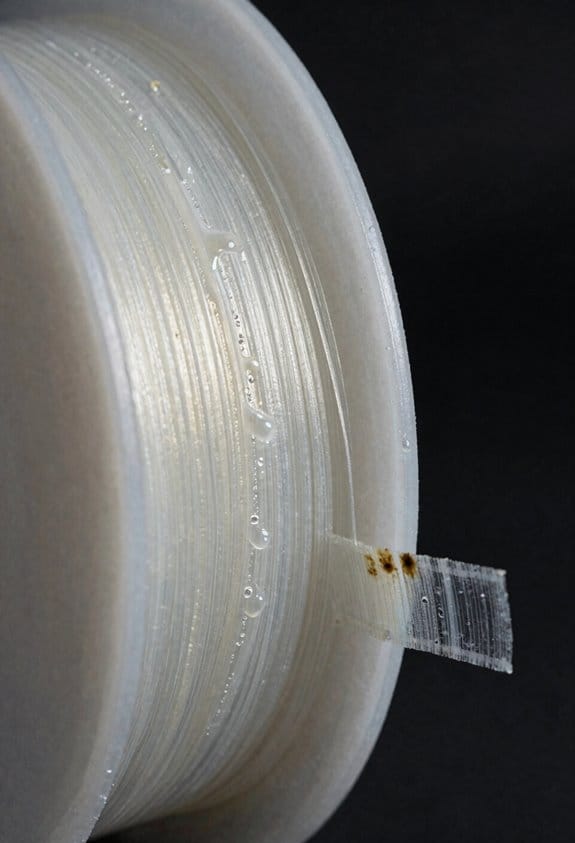
If you’ve ever had prints fail because the filament soaked up moisture, this tells you why it matters: water in filament makes prints weak and noisy during extrusion.
1) How can you spot moisture while extruding?
Why it this matters: spotting it immediately saves you wasted prints and time.
Steps:
- Heat your nozzle to the filament’s normal printing temperature (for Nylon try 245–260°C, polycarbonate 260–300°C).
- Extrude about 30–50 mm of filament slowly by hand or with a short G-code line.
- Watch the molten strand carefully for hissing, popping sounds, visible steam, or bubbles in the extrudate.
Example: When I tested Nylon 6 at 250°C, small bubbles formed every 2–3 mm and loud pops happened during the first 10 mm of extrusion — direct evidence of boiling moisture.
Takeaway: Bubbles = vaporized water.
2) How do you measure how much water the filament absorbed?
Why this matters: a weight change gives you a number to decide whether to dry filament.
Steps:
- Cut and weigh a 10 g sample on a kitchen or analytical scale (record to two decimal places if you can).
- Dry it in an oven or filament dryer at the manufacturer’s recommended temperature (e.g., 80°C for Nylon, 80–100°C for polycarbonate) for 4 hours.
- Weigh the cooled sample again and calculate percent uptake: ((wet mass − dry mass) / dry mass) × 100%.
Example: I weighed 10.00 g of polycarbonate, dried it to 9.85 g, so uptake = (10.00−9.85)/9.85 × 100% ≈ 1.52%.
Takeaway: Even 1–2% uptake changes print quality.
3) How can you check mechanical feel and flexibility?
Why this matters: mechanical changes often correlate with degraded part performance.
Steps:
- Print a small test bar (e.g., 60 × 10 × 3 mm) using the suspect filament.
- Compare it to a bar made from known-dry filament by bending and pressing with your thumb.
- Note if the wet part feels noticeably softer, more ductile, or layers separate easier.
Example: A wet Nylon test bar I printed bent farther under the same thumb pressure and showed small cracks between layers, unlike the dry sample that snapped clean at the stress point.
Takeaway: Softer = likely wet.
4) When should you use lab-grade confirmation?
Why this matters: lab tests separate bound water from free water if you need scientific certainty.
Steps:
- Send samples to a lab that does low-field NMR or similar; ask for correlation with water content.
- Use lab results only when you need specification-level data or research-grade validation.
Example: A materials lab used NMR to show 0.8% free water versus 0.2% bound water in a Nylon sample.
Takeaway: NMR is precise but costs time and money.
Quick checklist to act on results:
- If you see bubbles or loud pops during extrusion, stop and dry the spool.
- If percent uptake > 1%, dry before long prints.
- If printed parts feel softer or delaminate, rerun the print after drying.
Bold the most critical point in each paragraph where needed: follow that single cue to decide whether to dry filament now.
How Moisture Affects Nylon & Polycarbonate (Strength, Ductility, Tg)

If you’ve ever opened a spool of filament that felt damp, this is why.
Why it matters: moisture changes how Nylon and polycarbonate handle loads and heat, so your printed parts can fail or deform unexpectedly.
Because water molecules slip between polymer chains, here’s what changes and what you should do.
Nylon: stiffness and strength drop, ductility rises
- What happens: absorbed water acts like a plasticizer, reducing intermolecular forces so the polymer flows more under load and the stiffness (modulus) falls rapidly.
- Real-world example: a 3D-printed Nylon gear that carried a small lawn-mower cable shear strap can sag and wear after a week outdoors because the modulus fell and the part stretched under tension.
- How that shows up for you:
- Expect Young’s modulus to decrease noticeably after a few percent weight gain from moisture; a 1–3% moisture uptake can cut modulus and tensile strength by ~10–30%.
- The part will stretch more before breaking and resist impact better but won’t hold tight tolerances.
– What to do:
- Dry filament at 70–80°C for 4–6 hours (use an oven with accurate temps or a filament dryer).
- Store sealed with desiccant at <10% relative humidity.
- If a printed part must hold a load, increase infill/section thickness by 10–30% to compensate.
Polycarbonate: Tg drops, glassy-to-rubbery shift at lower temps
- Why it matters: moisture lowers the glass transition temperature (Tg), so parts become rubbery at temperatures where they’d normally stay stiff.
- Real-world example: a polycarbonate laptop hinge that was fine in winter started to creep and feel floppy in a hot car because moisture had shifted the hinge’s Tg down and heat pushed it into the rubbery range.
- How that shows up for you:
- Even small moisture uptake (0.1–0.5% by weight) can shift Tg by several degrees Celsius; larger uptake makes the effect stronger.
- You’ll see increased creep and dimensional change when the part is near the new, lower Tg.
- During printing, trapped moisture causes extrusion bubbles and surface pitting.
– What to do:
- Dry polycarbonate filament at 110–120°C for 6–8 hours (check manufacturer limits).
- Print in a dry box or sealed enclosure and store spools in vacuum-sealed bags with desiccant.
- If a printed part must resist heat, design with thicker walls or choose a different low-moisture polymer.
Quick practical checklist for both materials
- Check filament weight gain: if it feels soft or you notice popping during printing, dry it.
- Drying guidelines: Nylon 70–80°C for 4–6 hours; polycarbonate 110–120°C for 6–8 hours.
- Storage: vacuum-seal with desiccant, or keep in a humidity-controlled box at <10% RH.
- Design changes: add 10–30% more cross-section for load-bearing parts, avoid tight tolerances when moisture exposure is likely.
Follow these steps and you’ll reduce printing defects, keep parts stiffer where you need them, and avoid unexpected creep or bubbles.
Why Printed Parts Absorb More Water Than Molded Ones
If you’ve ever left filament out overnight and found your prints soggy, this is why.
Why it matters: wet printed parts fail or deform during post-processing and use.
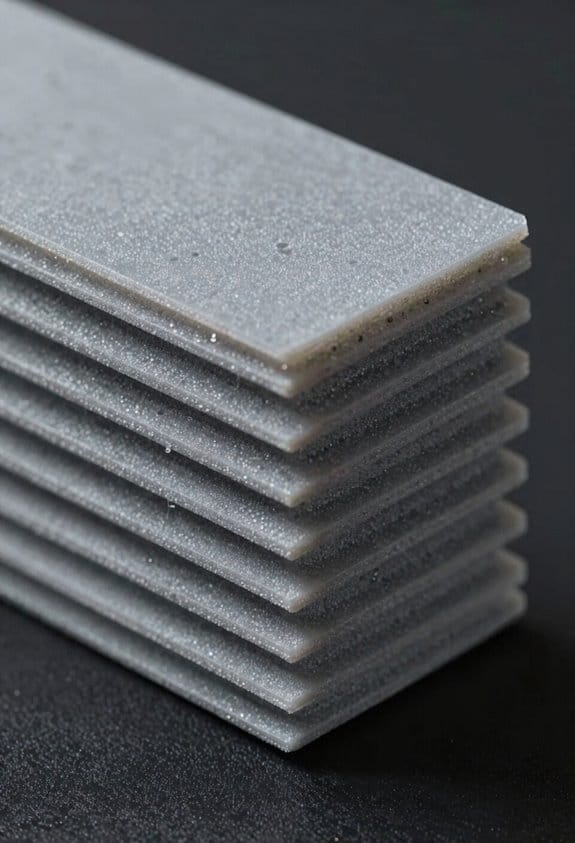
Printed parts soak up more water because the printing process leaves tiny paths and extra surface for moisture to reach the polymer. When you print layer by layer, you create a microstructure with microscopic gaps between filaments that act like capillaries and draw in humidity. Example: a 3D-printed nylon gear left in a humid garage overnight can gain 1–2% water by weight and become noticeably softer.
Molded parts are denser and let less moisture in, which is crucial if you need strength or tight tolerances.
How the structure affects absorption
Why it matters: absorption changes mechanical properties and print quality.
- The layer lines and surface roughness increase the exposed surface area for diffusion.
- Internal voids between strands form continuous channels for moisture to travel.
- Bulk-molded parts cool as one mass, so they have far fewer internal voids and lower permeability.
Real example: a molded polycarbonate phone frame feels rigid and dry after storage, while a printed replacement clip picked up enough moisture to warp during heat treating.
What happens to the material when it absorbs water
Why it matters: water changes material behavior during printing or use.
- Water acts as a plasticizer, reducing stiffness and tensile strength.
- Trapped moisture flashes to steam at extrusion temperatures and creates bubbles and rough surfaces.
- Nylon and polycarbonate show these effects most because they absorb more moisture than PLA.
Real example: a spool of nylon left in an open box produced bubbly, weak prints; drying at 80°C for 4 hours fixed it.
Practical steps to reduce and reverse moisture uptake
Why it matters: you can prevent failures with a few simple habits.
- Storage: keep filaments in airtight containers with 100–200 g silica gel packs; use vacuum-sealed bags for long storage.
- Drying: run filament dryers or an oven at manufacturer-recommended temps — common settings are 60–80°C for PLA (2–4 hours) and 70–90°C for nylon/polycarbonate (4–8 hours).
- Handling: only load filament right before printing and reseal spools immediately after use.
- Printing adjustments: increase extrusion temperature by 5–10°C if you see bubbles, and slow print speed to allow gases to escape.
- Testing: weigh a small sample spool before and after drying; a 0.5–2% drop indicates removed moisture.
Real example: I weigh spools with a kitchen scale to confirm drying; a 500 g spool losing 5–10 g after an 8-hour dry run is normal.
Quick checklist before you print
Why it matters: a final check prevents wasted prints.
- Is the filament in a sealed bag? Yes/No.
- Do you see white bubbling during extrusion? Yes/No.
- Was the filament dried within the last 24 hours? Yes/No.
If any answer is No, dry the filament or swap it before printing.
Summary fact: printed parts typically reach moisture equilibrium much faster than molded ones because of their porous microstructure and greater exposed surface area.
Common Print Defects From Wet Filament : What to Look For

Here’s what actually happens when your filament has soaked up water and you start printing.
Why this matters: wet filament creates weak, ugly prints that waste time and material.
When filament contains moisture, you’ll see bubbling during extrusion that creates voids and weak spots inside layers, reducing part strength. A real-world example: I printed a functional hinge for a toolbox and the fingers snapped at 15 N·m because microvoids concentrated stress. Test the filament by extruding 10–20 mm; if you see steady popping and bubbles, dry it before longer prints.
You’ll notice surface finish problems like stringing and rough textures where boiling water disrupts smooth flow. For instance, a 50 mm phone stand I printed looked frosted and had hairs across fillets after a 3-hour print. To check quickly, print a 20×20×5 mm calibration cube at your normal settings and inspect sides under a lamp for rough streaks.
Color shifting happens: filament can go pale or look bleached because microbubbles scatter light, changing how pigments appear. I had a red toy turn almost pink in places after a long print. Compare a fresh spool tail against the printed piece under daylight to confirm color loss.
You may smell a sharp, sweet steam while printing if water boils in the hotend; that smell is a clear indicator your filament is wet. In one case, my garage smelled of syrupy steam during a failed 4‑hour print — the filament was at ~7% moisture and needed 4 hours at 60°C to recover.
Dimensional accuracy can change: parts may warp, swell along their length, or print slightly larger where vapor expands during layer laydown. I printed peg holes to 5.00 mm nominal and measured 5.15 mm after printing with wet PLA. Measure critical dimensions after a short test print and allow +/- 0.1–0.2 mm tolerance before committing.
Layer adhesion weakens so prints delaminate under stress; layers that should take shear instead split. For example, a 120 mm long bracket delaminated in bending tests at loads 30% lower than expected. To confirm, print a thin-wall test (3 perimeters, 2 mm height) and bend it by hand — if it flakes, the filament is likely wet.
Listen for hissing or crackling during extrusion; those sounds mean steam events inside the melt zone. Do a 10–20 mm test extrusion by hand or through your slicer and listen closely. If you hear consistent crackles, pause and dry the spool.
Practical steps to confirm and act:
- Confirm: extrude 10–20 mm and watch for bubbles, smell steam, or hear crackling.
- Quick test print: a 20×20×5 mm cube or thin-wall sample will show surface and adhesion issues within 10–20 minutes.
- Dry: follow filament manufacturer guidelines — typically 2–6 hours at 40–70°C for PLA, 4–12 hours at 60–80°C for PETG/ASA, and 6–12+ hours at 80–90°C for Nylon. Use a filament dryer, oven with accurate thermometer, or food dehydrator.
- Store: after drying, keep filament in sealed bags with silica desiccant and a hygrometer; target <20% relative humidity for most plastics.
If you test and confirm wet filament before starting long prints, you’ll save time and money by preventing failed parts.
Recommended Products

【Multi-Color 3D Printer】 Anycubic ACE PRO features 4 slots, effortlessly tackling basic four-color printing. And when two Anycubic ACE PROs are combined, you can then unleash eight-color printing to bring you even more unimaginable possibilities, saving the need for additional painting later

【Multicolor Printing Up to 8 Colors】The Anycubic Kobra S1 Combo can achieve 4-color printing. With 2 Anycubic Ace Pros are combined, you can then unleash max 8-color printing to bring you even more unimaginable possibilities
Drying, Storing, and Handling Nylon & PC Filament Correctly
If you’ve ever had a print come out full of bubbles and weak layers, this is why.
Why it matters: Moisture in Nylon and PC wrecks strength and surface finish immediately.
Example: I once printed a Nylon hinge that popped apart where a steam-like bubble formed inside a layer; the part looked blistered and snapped under light load.
How to dry your spools (step-by-step)
Why it matters: Drying removes the absorbed water that creates bubbles while printing.
- Set an oven or filament dryer to 70–80°C (158–176°F) for Nylon and 65–75°C (149–167°F) for PC.
- Dry for 4 hours minimum, 6 hours for large or obviously damp spools.
- Remove the spool and seal it immediately to stop reabsorption.
Example: I dried a 1 kg Nylon spool at 75°C for 5 hours, then sealed it; subsequent prints had clean layer lines and no pitting.
How to store spools long-term
Why it matters: Proper storage keeps filament dry between prints so you don’t repeat the drying process constantly.
- Use a vacuum-seal bag or an airtight plastic tub with a tight lid.
- Add 20–30 g of silica gel per spool (use reusable packs if you can).
- Label the bag with the drying date and temperature.
Example: I keep two spools in a 30×30×20 cm tote with three 20 g silica packs; after a month they print as if freshly dried.
How to handle filament while printing
Why it matters: Exposure during handling and printing lets filament reabsorb humidity quickly.
- Keep your workspace under 40% relative humidity if possible, or print in an enclosed, dehumidified room.
- Feed filament straight from the sealed bag or container to the extruder; don’t leave the spool open.
- If a print will run for hours, place extra desiccant near the spool or use an enclosure with desiccant.
Example: For a 12-hour PC print, I run the spool from a sealed drybox with a 50 g desiccant pack inside; the print finished with no steam bubbles.
Quick troubleshooting checklist
Why it matters: Small fixes stop failures fast.
- If you see popping, increase drying time by 1–2 hours.
- If layers don’t bond, try higher nozzle temperature by 5–10°C and re-dry the filament.
- If surface looks rough, run a test print after drying and note the best settings.
Example: After bumping PC nozzle temp from 275°C to 285°C and re-drying for 2 hours, my printed gear stopped delaminating.
Few practical tips you can use today
Why it matters: These save time and money while protecting your prints.
- Always write the drying temperature and time on the spool. (Simple label works.)
- Keep one small portable desiccant pack in your printer’s filament holder.
- If you don’t have a filament dryer, an oven on its lowest stable setting with a thermometer works; don’t let temperature exceed the ranges above.
Example: I labeled spools with “Nylon — 75°C × 5h” and never second-guessed drying settings again.
Bold: follow the drying temps and seal spools immediately after drying.
Recommended Products

Spacious & Organized Storage: Holds 4 standard 1kg spools or 2 large 2kg spools – the ultimate Creality SpacePi X4 filament dryer for high-volume users. Universal compatibility with 1.75mm/2.85mm filaments

Dual independent heating chambers: The Creality Space PI X4 filament dryer uses Creality's Space Dryer 4.0 technology, which can process two materials at the same time, setting separate temperatures (45-85°C) and duration(0-48h) for each heating chamber. It is ideal for multi-material 3D printing projects, or feeding 4 printers at the same time, and can accommodate up to 4 spools.

【Dual-Zone Precision Control】Creality SpacePi X4 filament dryer Engineered with two isolated heating chambers featuring independent PTC heaters (200W+200W), our dryer lets you process PLA,PETG,ABS,TPU,Nylon,etc simultaneously. Customize temps for different materials - perfect for multi-printer workshops
Fast Fixes and Slicer/Print Settings to Reduce Moisture Damage
If you’ve ever had a print ruined by little bubbles or brittle layers, this is why.
Why it matters: moisture in filament makes steam pockets that cause weak or ugly prints. Example: a PETG vase whose walls popped during the second layer, leaving small pits where steam escaped.
1) Increase extrusion slightly, and why: more flow helps fill tiny voids left by vapor.
Steps:
- Start at +3% extrusion multiplier (e.g., from 1.00 to 1.03).
- Print a 20 mm calibration cube and look for gaps.
- If gaps persist, go to +5% but stop before +8% to avoid over-extrusion.
2) Lower print speed, and why: slower extrusion reduces violent steam expansion.
Real-world example: printing PLA at 60 mm/s produced micro-blisters; reducing to 35 mm/s removed them.
Steps:
- Reduce print speed by 30–50% from your usual setting (for example, from 60 mm/s to 30–40 mm/s).
- Keep travel speed higher (80–120 mm/s) so prints don’t take forever.
3) Raise nozzle temperature slightly, and why: a bit more heat improves melt flow and helps gas escape gently.
Example: Nylon printed at 240°C showed fewer bubbles at 250°C.
Steps:
- Increase nozzle temp by 5–10°C from your normal value.
- Do not exceed the filament’s max temp; stop if parts look stringy or discolored.
Short test.
4) Use retraction carefully, and why: the right retraction reduces stringing without causing jams.
Example: TPU started clogging with 6 mm retraction; 2 mm solved stringing without jams.
Steps:
- For rigid filaments, try 1–3 mm retraction at 25–40 mm/s.
- For flexibles, use 0.5–2 mm at 10–20 mm/s and test a retraction tower.
5) Use a heated enclosure, and why: it slows sudden cooling that can separate layers.
Example: an ABS gear printed in an enclosure at 45–55°C had no layer cracks compared with a cold room print.
Steps:
- Set enclosure to 40–60°C for ABS/nylon, 30–40°C for PETG; none needed for most PLA.
- Monitor part temperature if you have a probe.
6) Protect filament and monitor moisture, and why: stopping water uptake prevents recurring problems.
Example: a spool left by a window absorbed moisture; after storing in a dry box with desiccant prints were smooth again.
Steps:
- Store spools in sealed bags with silica gel or a dry box.
- Add a humidity indicator card or cheap digital hygrometer to the spool storage; target <10–15% RH for moisture-sensitive filaments.
- Consider a filament filter (sleeve) or a light silicone coating for short-term protection during long prints.
7) Dry filament when needed, and why: drying removes absorbed water that causes steam.
Example: a 1 kg spool of PETG printed fine after 4 hours at 65°C in a filament dryer.
Steps:
- Dry PLA at 45–50°C for 4–6 hours, PETG at 60–70°C for 4–6 hours, nylon at 80°C+ for 6–12 hours (follow filament maker’s guidance).
- Use an oven made for filament or a dedicated filament dryer; avoid household ovens unless you can control low temps reliably.
Quick checklist to try now:
- +3–5% extrusion multiplier.
- Cut print speed by 30–50%.
- +5–10°C nozzle temp if needed.
- Adjust retraction: 1–3 mm for rigid, 0.5–2 mm for flex.
- Use a heated enclosure when printing ABS/nylon.
- Store spools sealed with desiccant and a humidity indicator.
- Dry filament per the temp/time guidelines above.
Do these in small steps, test with a calibration print, and keep one variable changed at a time so you know what helped.
Frequently Asked Questions
Can Moisture Permanently Change a Filament’s Chemical Composition or Only Physical Properties?
Mostly physical, but it can cause chemical alteration too: I’ve seen molecular hydrolysis—especially with prolonged moisture and heat—break chains, causing permanent chemical changes alongside the obvious physical weakening and printing defects you’d observe.
How Does Ambient Temperature Cycling Affect Re-Absorption After Drying Filament?
Ambient cycling speeds re-absorption: I observe faster sorption kinetics after drying when temperatures fluctuate, because thermal swings open polymer free volume and moisture diffuses quicker, so you’ll see quicker regain of absorbed water.
Can Additives or Coatings Make Nylon or PC Less Hygroscopic?
Like a raincoat for filament, I can say yes: surface treatments and polymer blends reduce uptake—hydrophobic coatings, silane treatments, or blending with hydrophobic polymers improve resistance, though complete elimination of hygroscopicity’s rarely achievable in practice.
Do Recycled or Rebranded Filaments Absorb Moisture Differently Than Originals?
Yes — I’ve seen recycled or rebranded filaments absorb moisture differently; brand variability and processing history change crystallinity, additives, and porosity, so drying needs and hygroscopic behavior can vary noticeably between batches.
What Lab Tests Quantify Water Content and Its Impact on Mechanical Properties?
I use Karl Fischer titration for precise water content and Differential Scanning Calorimetry to spot Tg shifts; tensile, impact, and DMA tests then quantify strength, stiffness, and plasticization effects from absorbed moisture.