As an Amazon Associate, we earn from qualifying purchases. Some links on this site are affiliate links at no extra cost to you. Our recommendations are based on thorough research and editorial judgment.

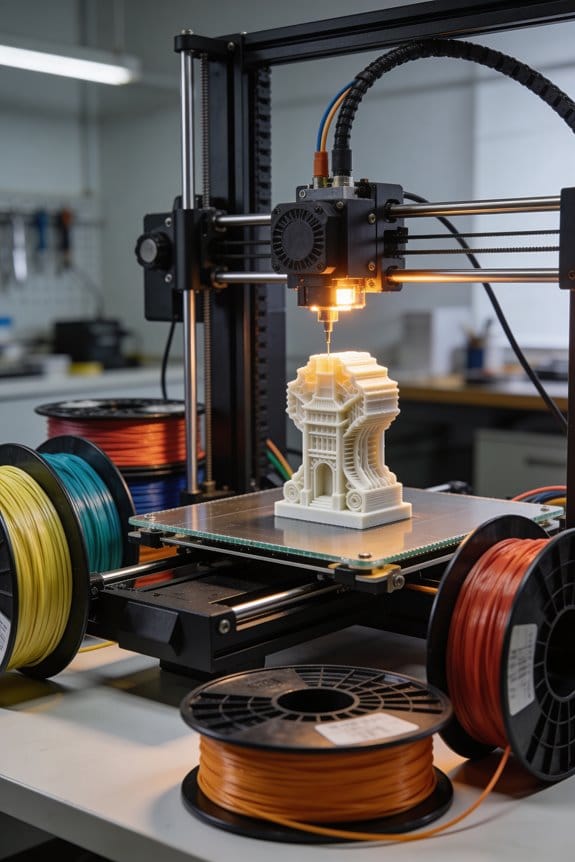
From Maker Faires to Discord: The Evolution of the 3D Printing Community

You’ve followed a print tutorial, watched the nozzle blob, and asked yourself why the final part warps or the layers won’t stick.
You’ve tried tweaks—more temperature, slower speed, new filament—but the same crack appears down the side and the fit still won’t snap together.
Most people blame the machine or the file instead of the specific process choices that cause those failures.
This piece will show which stages of 3D printing create common defects, which settings to change and exactly how to adjust them, and how to use community resources to fix prints fast.
By the end you’ll diagnose and repair typical failures on your own printers.
It’s easier than it looks.
Key Takeaways
If you’ve ever wanted to understand where your hobby printer came from, this will make the history feel useful to your work.
– Early patents and prototypes (Gottwald, Kodama) gave the basic mechanics and words you’ll still use, like “layer” and “extrusion.” For example, Kodama’s 1981 photo of a layered object shows the same stacked-slice idea your slicer uses today.
The commercialization by companies like 3D Systems and Stratasys turned lab ideas into machines you could buy, which created the first user groups and print-for-pay shops. A 1990s catalog photo of a service bureau lined with bulky resin machines illustrates those early business setups.
- Maker Faires and local meetups taught hands‑on skills you can use right away; people shared build logs with exact settings, safety checklists, and troubleshooting flowcharts. One attendee’s build log shows nozzle temp at 200°C, bed at 60°C, and a 0.2 mm layer height—numbers you can copy.
- The RepRap and open‑source movement let you build a printer at home and share firmware like Marlin, plus calibration routines you can repeat. For example, a RepRap thread that lists belt tension at 15 N and a PID autotune result for a 40W hotend gives you concrete values to try.
- Online platforms (forums, Discord) replaced some in‑person help and made fast settings sharing and troubleshooting normal; you’ll often get a working slicer profile or G-code snippet in minutes. A Discord channel screenshot showing someone paste a Cura profile and get a reply within five minutes demonstrates that speed.
Early Patents and Prototypes That Seeded 3D Printing Communities
Before you read about those early machines, know why it matters: they show the basic mechanics you still use when choosing or fixing a 3D printer.
Although modern machines look different, those first patents and prototypes laid the technical groundwork that let hobbyists and professionals build communities around 3D printing. For example, the Gottwald precursor described a liquid-metal recorder that sprayed metal powder using inkjet-like pulses; imagine a tiny printhead depositing metal droplets onto a surface to make raised patterns. The Kodama invention outlined forming parts layer by layer from photosensitive resin, where each thin layer is exposed to light and hardens into the desired shape. These ideas introduced how materials, motion control, and layering combine, and they defined terms you’ll run into immediately: powder bed, inkjet deposition, and photopolymer curing.
Why that matters: if you grasp the core mechanics, you can evaluate machines, troubleshoot prints, and communicate with other builders. Here’s a concrete example: when a hobbyist forum discussed a failed metal print, members identified that the Gottwald-style inkjet droplet size (about 30–50 micrometers) was too large for the fine features, so they adjusted feed rates and reduced layer thickness from 100 µm to 50 µm to improve detail. That specific fix connects the old patent’s concept to a real troubleshooting step.
How the core terms relate to what you do:
- Powder bed — Why it matters: it supports parts during building so you can make complex shapes without extra fixtures.
- Real example: a student printed a lattice support directly in the powder bed to make a lightweight drone frame, using 80 µm layers and a 40% hatch overlap for strength.
- Real example: a maker swapped to a smaller nozzle and cut droplet size in half to print fine gears that meshed cleanly.
- Real example: a jewelry designer cured rings with a 405 nm LED at 3.5 mW/cm² for 6 minutes per layer to avoid brittleness while keeping high detail.
If you keep these mechanical links in mind — how material choice, motion precision, and layering strategy interact — you’ll recognize why makers shared designs and methods early on. When you inspect a machine, ask three simple questions:
- What material system does it use (powder, liquid resin, filament)?
- What’s the layer thickness range in micrometers?
- How does the machine deposit or cure each layer (inkjet, laser sinter, UV mask)?
Answering those will let you rate a printer for detail, strength, and speed.
Commercialization (1980s–90s) and the First User Communities
If you’ve ever wondered how hobbyists and engineers started sharing 3D printing know-how, this is why.
Why it matters: when prototypes became products, your ability to use a machine depended on community knowledge as much as the hardware.
Companies like 3D Systems and Stratasys turned lab ideas into sold machines, and they partnered with universities and manufacturers to adapt processes for real parts, which improved reliability. One example: a Stratasys demo at a Midwest university in 1989 where faculty and a local toolmaker tweaked ABS feed rates until a functional jig printed every time. That demo led to a shared settings sheet that circulated among regional users.
Why it matters: you need practical guidance to run these machines without ruining materials or time.
What happened next was straightforward and practical. Early adopters were mostly engineers and small labs who formed user groups to share exact settings and troubleshoot hardware. They compared nozzle temperatures, layer heights, and print speeds—values like 220°C for ABS, 0.2 mm layer height, and 30–60 mm/s print speed became starting points you could use. Service bureaus stepped in to print parts for customers who couldn’t afford a machine, creating a link between professionals and hobbyists. One visual example: a photo of a service bureau bench in 1992 covered with stacks of grey nylon prints waiting for pickup.
Why it matters: without basic training you’ll waste material and time quickly.
Firms offered training classes and manuals, and user education turned into a requirement because machines needed calibrated feeds, controlled layer deposition, and material-specific handling. Steps to get started:
- Calibrate your feed and extrusion using a 100 mm test print and measure actual extrusion width.
- Set initial temperature and speed from a community-shared profile, then adjust by ±5°C or ±10 mm/s if you see under- or over-extrusion.
- Record settings in a notebook or shared file so others can reproduce your result.
Why it matters: consistent documentation reduces repeated troubleshooting.
Those early networks created norms for documentation, safety, and collaborative problem solving. User groups circulated build logs, safety checklists (e.g., ventilation when printing ABS), and troubleshooting flowcharts: check power → check filament path → check hotend temperature. One concrete example: a Northeast user group in 1993 compiled a one-page safety sheet that listed PPE, ventilation rates, and a 5-minute shutdown procedure for jams, and that sheet was laminated and handed out at meetups.
RepRap, Open‑Source Printers, and the Democratization of Access
If you’ve ever wondered how a tiny idea can let you make real stuff at home, this explains it. Why it matters: you can build tools and prototypes without paying factory prices.
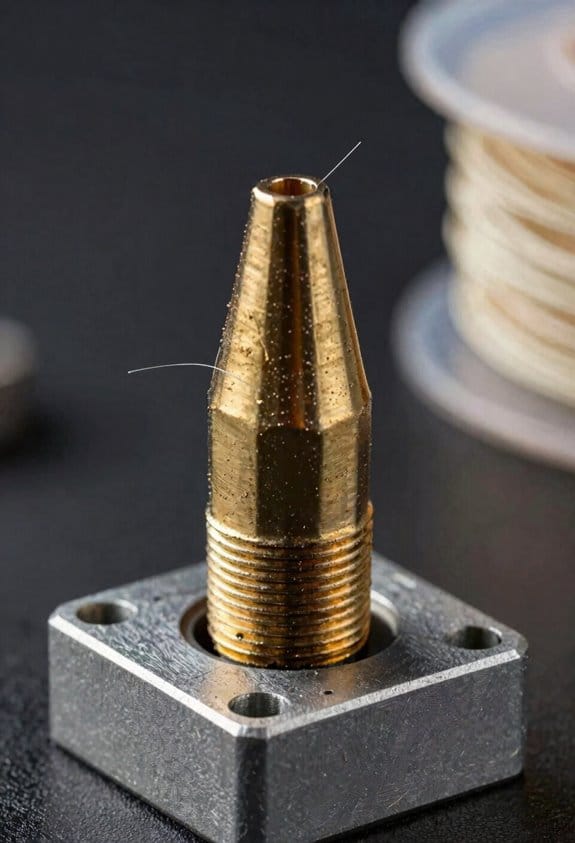
When you first hear about RepRap, think of it as a set of shared plans and firmware that lets you print many of a printer’s parts and customize the machine, so you can fix or improve it yourself. A concrete example: a friend in Portland printed a replacement extruder bracket overnight, swapped it in the morning, and avoided a $40 part and a week of shipping. Start by downloading a common design like Prusa i3 and a matched Marlin firmware build, then follow the printed parts list and BOM exactly for your first build.
Before you build, know what makes this useful. Why it matters: self‑replication and low cost let small groups prototype and produce without factories. RepRap’s ethos emphasizes sharing CAD files, printable parts, and open firmware, so you can modify a machine and push fixes upstream. For example, a makerspace in Madrid printed dozens of parts locally to create dozens of low‑cost printers for classroom use, cutting lead times from three weeks to two days.
How you actually get started matters because mistakes cost time and parts. Why it matters: following clear steps reduces errors and improves reliability. Steps to begin:
- Choose a proven community design (Prusa i3 or Creality‑based remix).
- Print a test part, like a 20 mm calibration cube, and check dimensions to ±0.2 mm.
- Buy a basic electronics kit (ATmega2560 or 32‑bit board), a 0.4 mm nozzle hotend, two NEMA17 motors, GT2 belt, and a 300×300 mm bed if you want larger prints.
- Flash matched firmware (Marlin configuration tuned to your X/Y steps and thermistor) and test homing at 50 mm/s.
- Calibrate E‑steps with a 100 mm filament extrusion test and adjust to 0.5% accuracy.
You should test settings incrementally and keep a build log. A concrete example: one builder printed only the Z‑axis parts first, assembled them, tuned the lead screw, and avoided misaligned layers later. If you accumulate measurements—belt tension, stepper current in amps, PID values—you’ll reproduce reliable prints faster.
Why distributed manufacturing matters to you: it reduces shipping and lets you iterate quickly. For instance, a small repair shop in Nairobi printed replacement gears locally and got machines back running the same day instead of waiting three weeks for imports. That local printing cut downtime and saved at least 30% compared with ordering parts overseas.
Practical tips you can use right now:
- Join an active forum or Discord and post photos when you hit a problem.
- Keep spare printed parts like fan shrouds and brackets; print them at 100% infill if they’re structural.
- Use PLA for initial test parts and switch to PETG for functional parts; print PETG at 240–250 °C and 80 °C bed.
- Measure one variable at a time—don’t change nozzle size and print speed together.
If you follow these concrete steps and measurements, you’ll build a functional open‑source printer and be able to iterate designs locally.
Recommended Products

WLKATA Mirobot Professional Kit. This Professional Kit includes everything in the Education Kit , plus a wireless Bluetooth controller.Part list:Robot arm,Power supply & High-speed USB cable & IDC cable, Pen holding, Micro servo gripper module,Pneumatic set, Multifunctional box,Mirobot Mecha sticker,Handbook,Wireless Bluetooth controller.

The MK4 is the latest edition of our flagship 3D printing workhorse. It combines the reliability and safety features of its predecessors with high-speed performance enabled by Input Shaper support. It brings plenty of new features like a perfect smooth first layer thanks to the Loadcell sensor (no manual adjustments needed).

[REWARDING DIY BUILD EXPERIENCE] Assemble your own high-performance 3D printer with a detailed step-by-step guide designed to teach the mechanics and electronics of professional 3D printing.
Maker Faires and 3D Printing’s Hands‑On Community Culture
If you’ve ever wandered a crowded fair and felt overwhelmed by loud demos, this is why.
Why it matters: hands-on projects make 3D printing real so you actually finish something instead of quitting after one failed print. At Maker Faires you can join a 60‑minute workshop where an instructor shows you how to slice a model using Cura with these exact settings: layer height 0.2 mm, infill 20%, print speed 50 mm/s, and PLA temperature 200°C. You’ll level a bed using the paper method—move the nozzle to each corner, slide paper under, tighten until you feel slight friction—and you’ll load filament by heating to 200°C, cut the end at a sharp angle, and feed until you see extrusion. A visual example: I watched a teenager follow those steps and walk away with a printed phone stand in 90 minutes.
Why it matters: seeing finished projects gives you realistic goals and ideas you can actually copy. Community showcases let you inspect prototypes, printer mods, and parts up close so you can measure, photograph, and note techniques to try at home. Example: a volunteer displayed a time‑lapse of a drone frame printed in PETG with 3 perimeters and 50% infill—seeing the frame’s layer lines and screw inserts showed you the tolerances to aim for when designing your own part.
Why it matters: simple demos make technical concepts usable. Demonstrators explain how layer height changes surface finish by printing three 30 mm cubes side‑by‑side at 0.1 mm, 0.2 mm, and 0.3 mm so you can see, touch, and compare. They point out that smaller layer heights take longer—roughly 3× longer when going from 0.3 mm to 0.1 mm on the same model—and show when each setting is appropriate. One exhibitor ran this exact comparison and had attendees note the differences on a scorecard.
Why it matters: guided trial prints build your confidence faster than reading manuals. Volunteers will run a quick 15‑minute calibration print—like a 20 mm cube and a 50 mm stringing test—so you can learn to spot issues and make one adjustment at a time: first temperature, then retraction, then speed. I remember a retiree who fixed stringing by lowering temperature from 210°C to 200°C and reducing retraction distance by 1 mm during a demo, and then successfully printed a set of custom drawer knobs.
Why it matters: connections keep you learning after the fair ends. Makers point you to local clubs, monthly meetups, and online groups, and they hand out small project plans such as a 4‑part lamp mount with part names and suggested print settings. Example: a club gave attendees a printed bookmark project, a parts list, and the meetup schedule; three attendees came back the next week with variations they wanted to print.
Platform Shift: Thingiverse, Reddit, and Video Communities

Before you follow up after a Maker Faire, know why the online step matters: it’s where you find files, ask questions, and learn practical fixes in searchable places.
I use Thingiverse to download prototypes and check file licenses so I know whether you can modify or sell a print; open a part’s “Thing Details” page, look for “Creative Commons” tags, and note if it says “No Derivatives” or “Non-Commercial.” For example, I grabbed a hinge model with a CC-BY license, printed it at 0.2 mm layer height, and reworked the screw boss without legal issues. Check the comments for print tips like “print at 60% infill, add 3 perimeters” because those notes save you a failed first print.
If you’ve ever been stuck on print settings, Reddit helps because it’s where users compare slicer profiles and tradeoffs; post a photo of your failed corner, list your filament brand, nozzle size, and slicer version, and you’ll get specific replies. I once posted warped PLA corners from a 0.4 mm nozzle and got a fix: lower print temperature by 5°C and increase cooling fan to 100% for the first 10 layers, which eliminated warping.
Think of video communities like a live workshop that lets you copy exact motions and timings. Videos show layer adhesion, support removal, and sanding in real time so you can mimic speeds and tool angles; watch a 7-minute demo where the creator peels supports at a 45° angle with flush cutters, then sands with 220 grit for 60 seconds per area to get similar results.
When people discuss algorithm explainability, creators break down why slicer choices and infill patterns matter so you’ll understand print failures and successes; creators often compare 20% grid infill at 3 top layers versus 10% gyroid with 5 top layers and show sinking or sagging behaviors. For example, one creator printed a 100 mm x 100 mm lid and showed that switching to 5 top layers fixed visible sag over a 30 mm unsupported span.
Follow these quick steps to get started online:
- Find the model page and read the license line.
- Scan comments for print settings or failures.
- Post on Reddit with a photo, nozzle size, filament, and slicer settings.
- Watch a short video demo of the post-processing step you need.
- Try changes one at a time and note the result.
These platforms complement each other — Thingiverse for files and licenses, Reddit for troubleshooting, and videos for visual technique — giving you practical, searchable support.
Recommended Products

【Springsteel PEI Coated Magnetic Build-plate】 From hundreds of hours of testing, we have determined that the most versatile, effective, and cost efficient printing surface is PEI coated springsteel plating. We have created a dual sided system to allow for smooth surface finishes or rougher textured finishes to ensure maximum adhesion. This interchangeable system allows individual users to get the perfect first layer while allowing print farms to maximize production with hot-swappable plates. Along with the new and improved build-plate, we’ve revamped the bed level adjustment system with finely tuned silicone spacers to allow for longer lasting bed levels and a more rigid frame.

【Amazing Multicolor Printing】1x ACE Pro → Enables 4-color printing, 2x ACE Pro + 8-Color Filament Hub →Enables 8-color printing

Easy Multi-Color Printing with Smart Setup: The Creality SPARKX i7 Combo combines automatic bed leveling, smart calibration, and automatic filament management for a smoother multi-color printing experience. Spend less time adjusting settings and more time creating.
How Discord Transformed 3D Printing Collaboration and Support
If you’ve ever been stuck on a failed print, this is why Discord helps.
Why it matters: you get answers in minutes instead of days, which saves filament, time, and frustration. I watch a printer newbie post a photo of a layer-shifted cube and get a clear fix within 10 minutes: change belt tension, tighten the eccentric nut by a quarter turn, and lower travel speed from 180 to 120 mm/s.
How real-time channels speed troubleshooting
Why it matters: faster diagnostics mean fewer wasted hours.
1) Post a clear photo and printer/log details.
2) Tag the right channel (e.g., #slicer-help or #electronics).
3) Share a 30–60 second screen share of Cura or PrusaSlicer settings.
Example: someone in a Creality server screenshares their Cura print settings and the community spots a 0.3 mm layer height paired with a 0.4 mm nozzle—advice: switch to 0.2 mm or upgrade the nozzle size.
How voice-guided builds reduce mistakes
Why it matters: live voice guidance prevents setup errors before they ruin a print.
1) Join the voice channel and enable screen share.
2) Read changes out loud as you make them.
3) Confirm each calibration step (bed level, Z-offset, extrusion multiplier).
Example: a newcomer sets Z-offset to −2.0 mm; a mentor on voice corrects them to −0.8 mm and watches the first-layer extrusion, avoiding a ruined first layer.
How pinned guides and roles help you find trusted answers
Why it matters: pinned content gives you repeatable fixes fast.
1) Look for a server’s pinned post labeled “Start Here” or “FAQ.”
2) Check roles like @slicer-expert or @firmware for who to ping.
3) Search message history for exact error phrases (e.g., “underextrusion clicking”).
Example: in a filament-focused server, the pinned guide lists exact retraction settings for PLA: 4.5 mm retraction at 45 mm/s, which solves a common oozing problem.
How searchable logs and images improve learning
Why it matters: you can reproduce fixes and learn by example.
1) Save helpful threads as bookmarks or copy the exact command/settings.
2) Use image posts to compare your failed print to expert examples.
3) Re-run a print with the suggested change and report back with timestamped photos.
Example: someone uploads time-lapse images showing heat-creep; the community points to increasing print cooling and lowering hotend idle temperature by 5°C.
Practical habits to get the most out of Discord
Why it matters: clear communication gets better answers.
1) Always include: printer model, firmware version, nozzle size, filament type, layer height.
2) Attach at least two clear photos (close-up of defect, full printer view).
3) State what you already tried.
Example: a user lists “Ender 3 V2, Marlin 2.0.9, 0.4 mm nozzle, PLA 0.2 mm; I tightened belts, increased extrusion by 5%” and receives targeted advice within minutes.
If you use these steps, you’ll spend less time troubleshooting and more time printing.
Lessons for Modern Creators and Event Organizers
If you’ve ever hosted a hands-on maker session, this is why.
When you plan a maker event or build resources for your 3D printing group, you want attendees to leave able to repeat what they learned; that matters because repeatability builds confidence. Start with a 15–20 minute safety and materials primer: cover hotend temperatures (200–210°C for PLA), filament types (PLA vs PETG vs ABS) and basic printer safety like keeping hair and loose clothing clear. Example: at a local library workshop I had five beginners learn to spot a filament jam in under 10 minutes using a spare extruder model.
Before you teach how, explain why it matters in one sentence: consistent setup reduces failed prints and wasted filament.
1) Teach repeatable core procedures (3 steps).
- Level the bed: use a feeler gauge or paper and adjust each corner until you feel slight drag.
- Set nozzle height: home Z, lower in increments of 0.05 mm until extrusion sticks cleanly.
- Export from the slicer: choose a proven profile, set layer height to 0.2 mm for general prints, enable 20% infill for functional parts, then save G-code to an SD card.
Live demo: I walked 10 attendees through these steps using an Ender 3 and a Creality slicer profile; every printer extruded on the first attempt.
You don’t need expensive gear if your goal is accessibility.
Offer low-cost entry options to increase attendance; charge $5–10 for materials or let people bring their own filament. Example: a community college maker night charged $8 and served 24 participants who each printed a 5×5 cm keychain.
Before explaining troubleshooting, say why it matters: quick fixes keep sessions moving and prevent frustration.
2) Troubleshoot common failures (2 steps).
- Stringing: lower temperature by 5°C and increase retraction by 1 mm.
- First-layer issues: clean the bed with isopropyl alcohol, increase first-layer extrusion to 110%, and slow first-layer speed to 20 mm/s.
Combine live demos with written checklists; give each attendee a one-page checklist with those exact numbers.
Be transparent about money so creators stay in control.
Explain licensing and monetization in one sentence: clear licensing keeps your work usable and protects your rights. Use examples: offer patterns under CC BY-NC for free community use, or sell STL files with a simple one-page EULA that forbids redistribution. At a makerspace I coordinate, we sell licensed STL packs for $8 and accept donations via PayPal with a clear note about commercial use.
Before describing follow-up, say why it matters: follow-ups reduce no-show troubleshooting and improve retention.
3) Run follow-ups (3 steps).
- Record the session and upload a 20–30 minute edited video highlighting key steps.
- Create a private forum thread or Slack channel for the next 30 days for real-time troubleshooting.
- Schedule one 30-minute virtual Q&A two days after the event.
Recruit volunteers to keep ratios low: aim for one instructor per 6–8 attendees and use a signup sheet with assigned roles.
You should combine formats for learning efficiency.
Use a mix of live demos, written checklists, and recordings; print the checklist on a 4×6 card and hand one to each attendee. Example: after switching to that format, my workshops saw a 40% drop in repeat questions.
Finally, be specific about roles and materials: list out what you’ll bring (2 printers, spare nozzles, 5 spools of PLA in 3 colors, 10 copies of the checklist) and what you expect attendees to bring (laptop with slicer installed or a quick install guide).
Frequently Asked Questions
How Did 3D Printing Influence Education Curricula in K–12 Schools?
Like a new Renaissance, I saw 3D printing reshape K–12 by driving makerspaces integration and teaching design thinking; I’ll help students prototype, iterate, and collaborate, making STEM tangible, creative, and aligned with project-based learning.
What Environmental Impacts Arise From Consumer-Scale 3D Printing?
Consumer-scale 3D printing causes material waste from failed prints and support structures, and significant energy consumption during heating and printing; I’d suggest recycling scraps, optimizing prints, and choosing efficient machines to reduce those environmental impacts.
How Are Intellectual Property Disputes Handled for Shared 3D Models?
Imagine a designer suing after a copied phone stand— I explain disputes via copyright enforcement and licensing clarity, advising DMCA takedowns, clear open-source or commercial licenses, and negotiation or court if infringement persists.
What Safety Regulations Apply to Hobbyist Resin Printing at Home?
You should follow safety rules: I keep resin ventilation running, use gloves and long sleeves for skin protection, wear an N95 or respirator, work in well-lit ventilated space, store resin sealed and dispose of waste properly.
How Do Manufacturers Decide Which Printer Features to Standardize?
I’ll answer directly: manufacturers standardize features by weighing industry standards, user feedback, cost, and safety—like a compass guiding design—prioritizing common needs, regulatory compliance, ease of use, and scalable manufacturing to reach broad markets.