As an Amazon Associate, we earn from qualifying purchases. Some links on this site are affiliate links at no extra cost to you. Our recommendations are based on thorough research and editorial judgment.

10 Best 3D Print Pens That Turn Ideas Into Reality

You’re staring at a half‑finished model, the filament jammed mid‑curve, and the plastic cools before you can shape the detail you imagined. The frustration of uneven lines and burnt tips makes the creative flow stall.
A good 3D pen delivers consistent temperature, smooth extrusion, and interchangeable nozzles, while cheap alternatives overheat, clog, or lack precise speed control. In this guide we evaluate ten top‑rated pens, selected for their 1.75 mm filament compatibility, real‑time LCD temperature displays, ergonomic design, and durability of ceramic or stainless‑steel tips.
By the end you’ll know which models handle PLA, ABS, wood‑filled, and metal‑infused filaments effortlessly and which kits include extra filaments, stencils, and heat‑resistant accessories.
Key Takeaways
If you want a pen that’s safe for kids and keeps the smell low, pick one that runs on 1.75 mm PLA like the SCRIB3D or 3Doodler PRO. It lets your little artists create without fumes, and you’ll appreciate the peace of mind. Choose a model that also handles ABS if you need tougher parts.
For anyone who needs both detail work and quick fills, look for stepless speed control and dual‑preset temperatures. It gives you fine‑grained control for intricate designs while still letting you crank up the speed for larger sections. The result is a smoother workflow and fewer interruptions.
What makes this type of pen stand out is a ceramic or ultrasonic‑sealed nozzle. It cuts down on clogs, especially when you experiment with wood‑filled or metal‑filled filaments. You’ll spend more time creating and less time cleaning.
You get a complete creative kit without hunting for extras. Kits that bundle multiple filament colors, stencils, and accessories let you jump straight into projects. It’s a convenient all‑in‑one solution for anyone who wants to start right away.
| 3D Printing Pen Kit with Adjustable Temperature and Speed | Best Overall | Filament Compatibility: 1.75 mm PLA & ABS | Temperature Control: Dual preset (PLA/ABS) + LCD | Speed Control: Stepless variable speed | VIEW LATEST PRICE | Read Our Analysis | |
| 3Doodler PRO 3D Printing Pen with Materials and Nozzles |  | Professional Grade | Filament Compatibility: 1.75 mm PLA, ABS, wood, copper, steel, Vibers, PHA, CF10 | Temperature Control: Adjustable for multiple materials | Speed Control: Upgraded controls for precise handling | VIEW LATEST PRICE | Read Our Analysis |
| Juku™ 3Doodler Create+ 3D Printing Pen Steel Blue |  | Creative Pro | Filament Compatibility: 1.75 mm PLA, ABS, FLEXY | Temperature Control: Dual‑drive with speed modes (temperature not specified) – N/A | Speed Control: Fast & Slow modes (optimized speed) | VIEW LATEST PRICE | Read Our Analysis |
| SCRIB3D Pen Filament Refills – 20 Colors 320 ft 1.75 mm PLA |  | Colorful Choice | Filament Compatibility: 1.75 mm PLA | Temperature Control: 160‑210 °C (PLA) | Speed Control: Not specified – N/A | VIEW LATEST PRICE | Read Our Analysis |
| 3Dmate Transparent 3D Pen Mat with Stencils (9×7″) |  | Starter Kit | Filament Compatibility: No filament (mat accessory) – N/A | Temperature Control: Not applicable – N/A | Speed Control: Not applicable – N/A | VIEW LATEST PRICE | Read Our Analysis |
| MYNT3D 3D Pen Mat Kit DesignPad + FreePad,Black | 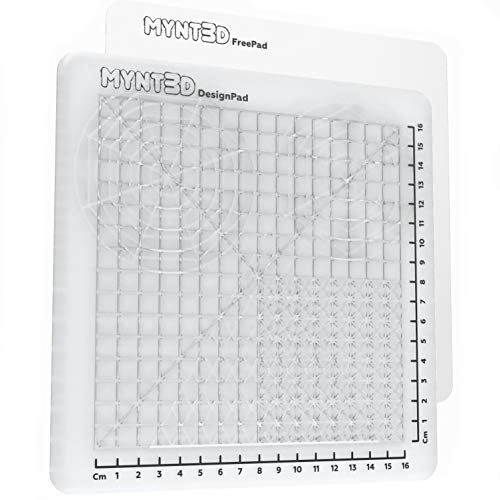 | Multi‑Surface Pro | Filament Compatibility: No filament (mat kit) – N/A | Temperature Control: Not applicable – N/A | Speed Control: Not applicable – N/A | VIEW LATEST PRICE | Read Our Analysis |
| SCRIB3D P1 3D Printing Pen with Display and Supplies | 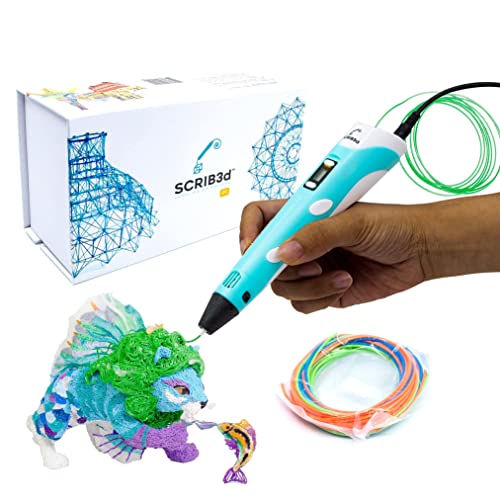 | Beginner Friendly | Filament Compatibility: 1.75 mm PLA & ABS | Temperature Control: Adjustable 160‑210 °C (PLA) / 210‑235 °C (ABS) | Speed Control: Stepless speed control | VIEW LATEST PRICE | Read Our Analysis |
| MYNT3D Super 3D Pen 1.75mm ABS and PLA Compatible 3D Printing Pen | 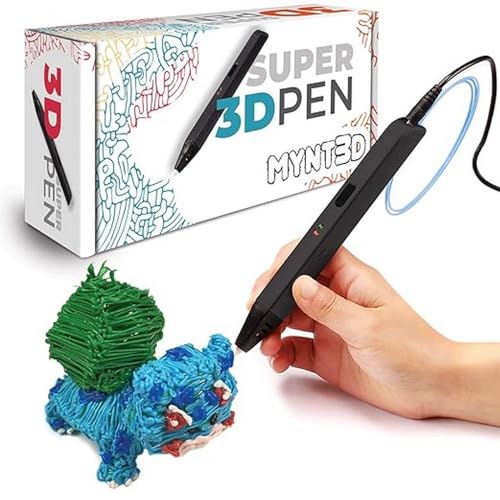 | Ultra‑Lightweight | Filament Compatibility: 1.75 mm PLA & ABS | Temperature Control: Adjustable for PLA/ABS | Speed Control: Stepless variable extrusion speed | VIEW LATEST PRICE | Read Our Analysis |
| 3Doodler Flow 3D Printing Pen with Refill Filaments & Guide |  | Versatile Performer | Filament Compatibility: 1.75 mm PLA, ABS, wood | Temperature Control: Adjustable (PLA/ABS/wood) with LCD | Speed Control: Not specified – N/A | VIEW LATEST PRICE | Read Our Analysis |
| 22‑Color PLA 3D Pen Filament 1.75 mm 10 ft per color 220 ft total |  Kids Safe Kids Safe | Filament Compatibility: 1.75 mm PLA | Temperature Control: Not applicable – N/A | Speed Control: Not applicable – N/A | VIEW LATEST PRICE | Read Our Analysis |
More Details on Our Top Picks
3D Printing Pen Kit with Adjustable Temperature and Speed
If you want a 3‑D pen that won’t melt your projects, the adjustable temperature setting lets you switch between PLA and ABS without a hassle. You’ll appreciate the stepless speed dial that lets you go slow for fine details or speed up for larger sections. The ceramic nozzle stays clear, so filament flows smoothly even after long sessions.
For anyone who needs a quick visual cue, the LCD screen shows real‑time temperature and filament status, so you never have to guess what’s happening inside. You can tweak settings on the fly and keep your creative flow uninterrupted. The dual preset temperatures make material swaps a breeze.
What makes this pen stand out is the all‑in‑one kit that supplies everything for art, crafts, or STEM projects. You get twelve 12‑color filament spools, reusable stencils, a pen stand, finger guards, heat‑resistant sleeves, and a storage bag. The USB power means you can plug it into any computer or laptop, and the ergonomic grip keeps your hand comfortable for hours.
You get precise control without sacrificing convenience. The design is simple enough for beginners yet powerful enough for detailed work. This pen is perfect for hobbyists and students who want reliable performance and a full set of accessories.
- Filament Compatibility:1.75 mm PLA & ABS
- Temperature Control:Dual preset (PLA/ABS) + LCD
- Speed Control:Stepless variable speed
- Power Source:USB‑powered
- Display / Feedback:LCD screen (temperature & status)
- Included Filament/Accessories:12‑color filament (80 ft total) + stencils, stand, guards, bag
- Additional Feature:Ceramic clog‑resistant nozzle
- Additional Feature:Ergonomic long grip
- Additional Feature:Reusable stencil set
3Doodler PRO 3D Printing Pen with Materials and Nozzles
If you need a compact tool that lets you sculpt 3‑D models on the fly, the 3Doodler PRO (2025) delivers a sleek ergonomic shape that feels natural in your hand. You’ll love the upgraded display that shows temperature and speed at a glance, so you can tweak settings without guessing. The enhanced button design gives a firm grip for precise extrusion, making fine details easier.
For anyone who works with multiple materials, the pen accepts 1.75 mm filament and lets you load wood, copper, steel, Vibers, PLA, PHA, or CF10 filaments. Interchangeable nozzles let you switch between fine and wide lines, so you can add detail or fill large areas quickly. You won’t have to buy separate tools for each material.
What makes this 3‑D printing pen stand out is its lightweight yet sturdy build at 2.24 lb and a compact footprint of 2.64 × 8.27 × 10.47 inches. The included extra nozzles and storage case keep your workflow organized, and the pen works with standard spool sizes, saving you space on your bench. You get a professional‑grade prototyping experience without a bulky setup.
- Filament Compatibility:1.75 mm PLA, ABS, wood, copper, steel, Vibers, PHA, CF10
- Temperature Control:Adjustable for multiple materials
- Speed Control:Upgraded controls for precise handling
- Power Source:USB/plug‑in (compatible with laptop/PC)
- Display / Feedback:Upgraded display for visibility
- Included Filament/Accessories:Specialty plastics, interchangeable nozzles, accessories
- Additional Feature:Specialty wood/metal filaments
- Additional Feature:Interchangeable nozzle set
- Additional Feature:Sleek professional design
Juku™ 3Doodler Create+ 3D Printing Pen Steel Blue
If you want to turn a simple sketch into a solid 3‑D object, the Juku™ 3Doodler Create+ makes that happen without the hassle of a full‑size printer. Its dual‑drive system keeps filament flowing smoothly while the heater stays steady, so you won’t waste time clearing clogs when you switch between ABS and PLA. The L‑shaped body feels balanced in your hand, and at 1.3 pounds you can draw for hours without fatigue.
For anyone who enjoys crafting jewelry or fixing broken bits around the house, the fast‑mode toggle lets you cover large areas quickly, while slow‑mode gives you the precision needed for tiny details. You can switch speed on the fly without adjusting temperature, which means you stay in the creative zone longer. The kit comes with two ABS and two PLA refill packs, fifteen vibrant colors, a power adapter, and a five‑project guide to spark ideas.
What makes this 3‑D printing pen stand out is the way the motor pushes filament while the heater regulates heat, delivering consistent extrusion even during long sessions. You’ll appreciate the reliable performance when you’re building models or repairing toys. The included guide walks you through jewelry, repairs, and model building, so you’re ready to create right out of the box.
You get a balanced, lightweight pen that lets you work comfortably for extended periods, without the need for a bulky printer. The dual‑drive technology means fewer interruptions, so your projects stay on track. Perfect for hobbyists and small‑business creators, this pen turns ideas into reality with minimal fuss.
- Filament Compatibility:1.75 mm PLA, ABS, FLEXY
- Temperature Control:Dual‑drive with speed modes (temperature not specified) – N/A
- Speed Control:Fast & Slow modes (optimized speed)
- Power Source:USB‑powered (includes power adapter)
- Display / Feedback:No display – N/A
- Included Filament/Accessories:2 packs ABS/PLA, 15‑color filament, guide, adapter, tools
- Additional Feature:Dual‑drive flow control
- Additional Feature:Fast/Slow mode toggle
- Additional Feature:L‑shaped ergonomic shape
SCRIB3D Pen Filament Refills – 20 Colors 320 ft 1.75 mm PLA
If you’re looking for reliable filament for your 3D pen, the SCRIB3D refills give you 1.75 mm PLA that works with most pens. The 20‑color set adds enough variety for hobby projects and classroom demos. Each spool is vacuum‑packed, so moisture and clogs stay out.
For anyone who wants a long‑lasting supply, you’ll get 320 feet of filament in one box. The PLA melts between 160°C and 210°C, matching the temperature range of most pens. It hardens quickly, which means fewer broken pieces while you work.
What makes this filament stand out is the clean, non‑oily residue that keeps your pen tip spotless. The spools fit the standard 1.75 mm diameter, so you can swap them in without hassle. Just note they aren’t compatible with the 3Doodler Create+ model.
You get clearly labeled colors, so you can pick the right hue without trial and error. The manufacturer, SCRIB3D LLC, checks quality before shipping, and a warranty is available for extra peace of mind. Perfect for teachers and makers alike, this set lets you focus on creativity, not filament headaches.
- Filament Compatibility:1.75 mm PLA
- Temperature Control:160‑210 °C (PLA)
- Speed Control:Not specified – N/A
- Power Source:Not applicable – N/A
- Display / Feedback:No display – N/A
- Included Filament/Accessories:20‑color PLA filament (320 ft)
- Additional Feature:Vacuum‑packed color cartridges
- Additional Feature:Anti‑clog filament design
- Additional Feature:Easy‑load spool system
3Dmate Transparent 3D Pen Mat with Stencils (9×7″)
If you’re tired of your desk melting when you heat‑up a 3D pen, this silicone mat gives you a heat‑resistant surface that handles up to 250 °C. For anyone who likes to see their work beneath the mat, the clear design lets you line up templates without guessing. You get a firm yet flexible base that stays in place while you draw, and the dual‑sided construction keeps one side pristine for freehand sketches. The other side holds an 11‑template stencil booklet, so beginners can follow shapes and experienced users can speed up detailed projects. At just 6.4 oz, the mat is lightweight enough to move around but strong enough to resist tearing and warping. Perfect for hobbyists and educators alike, this mat fits into a compact 12 × 6 × 0.5‑inch box for easy storage. You’ll appreciate how it protects your workspace and improves precision without adding bulk.
- Filament Compatibility:No filament (mat accessory) – N/A
- Temperature Control:Not applicable – N/A
- Speed Control:Not applicable – N/A
- Power Source:Not applicable – N/A
- Display / Feedback:No display – N/A
- Included Filament/Accessories:Transparent silicone mat + 11 stencils
- Additional Feature:Dual‑sided silicone surface
- Additional Feature:Transparent tracing capability
- Additional Feature:11‑template stencil book
MYNT3D 3D Pen Mat Kit DesignPad + FreePad,Black
If you’re tired of your 3D‑pen drawings slipping off the work surface, the double‑sided silicone DesignPad gives you a smooth glide that keeps the pen steady. For anyone who likes to switch between tracing and free‑drawing, the flexible FreePad sticks enough to hold your lines but releases without a tug. You get three distinct surfaces—silicone, FreePad, and a plain backing—so you can shape, trace, or sketch without changing tools.
What makes this kit stand out is the way the silicone texture reduces friction, letting you draw intricate details without the pen jerking. The medium‑sized design fits comfortably on most desks and weighs just 0.22 kg, so you can move it from a studio to a classroom in seconds. You’ll notice fewer gaps because the channels are sized to keep lines continuous.
Perfect for beginners and pros alike, this set lets you focus on creativity instead of battling a wobbly surface. You get a reliable drawing base without sacrificing portability. The black color blends nicely with any workspace, and the whole kit stays under a pound, making it easy to store.
- Filament Compatibility:No filament (mat kit) – N/A
- Temperature Control:Not applicable – N/A
- Speed Control:Not applicable – N/A
- Power Source:Not applicable – N/A
- Display / Feedback:No display – N/A
- Included Filament/Accessories:DesignPad + FreePad silicone surfaces
- Additional Feature:Triple‑surface drawing zones
- Additional Feature:Custom‑adhesive FreePad material
- Additional Feature:Optimized channel layout
SCRIB3D P1 3D Printing Pen with Display and Supplies
If you want a 3‑D pen that feels solid in your hand yet stays lightweight, the SCRIB3D P1 delivers exactly that. You’ll get a compact device that fits easily on a desk and three starter PLA colors, a stencil book, and a power adapter, all packaged in a 4.61 × 7.87 × 1.97‑inch box that weighs just 12.9 ounces. Its stepless speed control lets you dial in slow, detailed lines or crank up the feed for quick fills, and the temperature‑adjustable settings (160‑210 °C for PLA, 210‑235 °C for ABS) let you switch filament types safely.
For anyone who worries about clogging, the ceramic nozzle and premium motor keep the flow smooth, and an auto‑sleep mode powers down after two minutes of inactivity. You can push the pen forward for continuous extrusion or pull it back for clean retraction, and a warm‑up indicator light tells you when the pen is ready in about two to three minutes. The included guide walks you through loading filament, drawing, and building 3‑D shapes, so you can start creating right away.
What makes this 3‑D printing pen stand out is the balance between beginner‑friendly features and the flexibility that more experienced creators crave. You get a one‑year warranty and responsive support, meaning you can experiment with classroom projects, collaborative art, or simple repairs without fear of getting stuck. The P1 is a reliable, easy‑to‑use tool that adapts to your skill level and project needs.
- Filament Compatibility:1.75 mm PLA & ABS
- Temperature Control:Adjustable 160‑210 °C (PLA) / 210‑235 °C (ABS)
- Speed Control:Stepless speed control
- Power Source:USB power adapter included
- Display / Feedback:LCD temperature display
- Included Filament/Accessories:3 starter PLA colors (30 ft), stencil book, guide, adapter
- Additional Feature:Auto‑sleep after 2 min
- Additional Feature:Premium motor for smooth flow
- Additional Feature:30‑foot starter PLA pack
MYNT3D Super 3D Pen 1.75mm ABS and PLA Compatible 3D Printing Pen
If you’re tired of uneven lines when drawing in 3D, the stepless variable extrusion speed lets you fine‑tune flow on the fly, so ABS and PLA behave consistently. You’ll feel the slim, ergonomic grip in your hand, and the ultrasonic sealed nozzle keeps clogs at bay. The pen works with 1.75 mm filament, and you can dial the temperature for each material, giving you reliable melting and deposition.
For anyone who wants a lightweight tool that won’t tire your wrist, the design feels almost weightless. You get three filament colors, a power adapter, and a 5 V/2 A input that delivers 10 W output. It’s certified FCC, CE, and RoHS, so it meets safety standards worldwide and runs on 100–240 V AC.
What makes this 3D pen stand out is the one‑year limited warranty that backs your purchase, giving you peace of mind. You can start creating right away without worrying about compatibility. The pen is ready for kids, artists, and engineers alike.
- Filament Compatibility:1.75 mm PLA & ABS
- Temperature Control:Adjustable for PLA/ABS
- Speed Control:Stepless variable extrusion speed
- Power Source:5 V DC, 2 A (USB)
- Display / Feedback:No display – N/A
- Included Filament/Accessories:3 filament colors, adapter, ergonomic pen
- Additional Feature:Ultrasonic sealed nozzle
- Additional Feature:FCC/CE/RoHS certified
- Additional Feature:Slim touch‑pen ergonomics
3Doodler Flow 3D Printing Pen with Refill Filaments & Guide
If you want a tool that turns plastic filament into solid objects without a computer, the Doodler Flow 3D Printing Pen delivers exactly that. You can sketch freehand or follow a stencil, and the pen’s heat‑controlled extrusion lets the plastic harden almost instantly into a sturdy shape. The built‑in LCD shows real‑time temperature so you keep the flow steady.
For anyone who loves creating on the go, this pen’s compact size—3.1 × 10.74 × 4.44 inches and 15.8 oz—fits easily into a backpack. You’ll appreciate the ability to switch between 1.75 mm PLA, ABS, or wood filaments without any extra adapters. It’s ready in minutes: plug in, insert filament, wait for it to heat, and start building.
What makes this 3D printing pen stand out is the generous eight‑spool kit, each spool offering ten feet of vibrant color. You also get a stencil book and activity guide that inspire projects from school assignments to DIY repairs. No software setup is needed, but if you later want to design digital models, the pen works with STL and OBJ files on your PC.
You get a portable creative solution without sacrificing performance. The lightweight design means you can carry it to class, a coffee shop, or a weekend workshop. The warranty through customer service adds peace of mind for everyday use.
- Filament Compatibility:1.75 mm PLA, ABS, wood
- Temperature Control:Adjustable (PLA/ABS/wood) with LCD
- Speed Control:Not specified – N/A
- Power Source:USB‑powered (adapter included)
- Display / Feedback:Integrated LCD
- Included Filament/Accessories:8 filament spools (80 ft total), stencil book, guide
- Additional Feature:Integrated stencil book
- Additional Feature:Plug‑and‑play operation
- Additional Feature:80‑foot multi‑color filament set
22‑Color PLA 3D Pen Filament 1.75 mm 10 ft per color
220 ft total
If you love creating detailed 3D art on the go, the 22‑color PLA kit gives you every hue you’ll need. You’ll have five transparent, five fluorescent and twelve solid shades, each on a ten‑foot spool that adds up to 220 feet of filament. The starch‑based PLA is biodegradable, so it’s safer for kids than ABS.
For anyone who struggles with jammed pens, the 1.75 mm diameter stays tight enough to keep bubbles and blockages at bay. You can slide the spools into virtually any 1.75 mm pen and start drawing right away. It won’t fit 3Doodler models that need 3.0 mm filament, but that’s a minor trade‑off.
What makes this filament stand out is the bright, fast‑forming colors that let you produce vivid designs without fuss. The 8‑ounce package is lightweight, so you can store it without taking up much space. A one‑year warranty from 3Dgenius adds peace of mind.
- Filament Compatibility:1.75 mm PLA
- Temperature Control:Not applicable – N/A
- Speed Control:Not applicable – N/A
- Power Source:Not applicable – N/A
- Display / Feedback:No display – N/A
- Included Filament/Accessories:22‑color PLA filament (220 ft total)
- Additional Feature:5 fluorescent & 5 transparent colors
- Additional Feature:Starch‑based eco‑friendly PLA
- Additional Feature:High‑precision diameter tolerance
Factors to Consider When Choosing a 3D Print Pen
If you’re worried about overheating or clogs, check the temperature range first so you know which filaments will melt smoothly. For anyone who wants fine detail work, a responsive speed control and a durable nozzle keep the feed steady and the tip lasting longer. You get consistent flow without constant replacements. What makes this 3D print pen stand out is its ability to handle multiple filament types, letting you switch plastics without hassle. Perfect for hobbyists, the ergonomic grip reduces hand fatigue during long sessions. You’ll enjoy creative freedom without sacrificing comfort.
Temperature Range Compatibility
If you want to work with both PLA and ABS without swapping tools, a pen that hits 160‑210 °C for PLA and 210‑235 °C for ABS is essential. You’ll appreciate dual‑preset or adjustable temperature controls because they let you fine‑tune the heat for specialty filaments like wood‑filled or flexible blends. An LCD or real‑time display shows the exact setpoint, so you can avoid clogging and uneven flow.
For anyone who hates long warm‑up times, look for a pen with quick‑switch heating elements and an automatic standby mode that cools the tip when you’re not drawing. This protects the device from overheating and gets you back to work faster. Match the filament’s required temperature to the pen’s maximum—don’t try high‑temperature composites or nylon if the pen can’t sustain those levels safely.
What makes this 3D‑pen stand out is the balance of a wide temperature range and user‑friendly controls, giving you the flexibility to experiment without buying multiple tools. You get reliable performance without sacrificing safety, because the built‑in cooling and standby features keep the pen cool when idle. Perfect for hobbyists and crafters, this pen lets you switch between common and specialty materials with confidence.
Speed Control Precision
If you want crisp, fine lines on tiny details, a 3D‑pen with stepless speed control is a game‑changer. You’ll love how the motor‑driven feed lets you dial the speed continuously, so you never get stuck with a jerky jump between preset levels. Lower speeds keep your filament flow uniform and give you clean layering for those delicate features.
For anyone who needs to fill larger areas quickly, the same pen can crank up speed without sacrificing too much precision. You’ll notice the low‑backlash gearing smooths out any pulsation, preventing stringing and keeping line width consistent. Real‑time adjustments respond instantly, so you can correct a stroke on the fly.
What makes this 3D‑pen stand out is the seamless pairing of speed changes with temperature control. You won’t have to worry about under‑extrusion or clogging because the pen maintains the right heat as you switch speeds. This balance lets you work faster on big sections while still delivering fine detail where it matters.
Nozzle Material Durability
If you love pushing your printer to its limits with abrasive filaments, you’ll need a nozzle that won’t wear out quickly. Ceramic nozzles give you the highest wear resistance and stay stable at high temperatures, so they last longer when you print carbon‑fiber blends. Their hard surface also reduces blockages.
For anyone who prints a lot of standard PLA or PETG, heat conductivity matters more than extreme durability. Brass nozzles heat up fast and respond well to temperature changes, letting you get up and printing in seconds. The softer surface can erode over time, especially with chemicals, so you may need to replace them sooner.
What makes this nozzle material stand out is the balance between toughness and ease of cleaning. Stainless steel offers better corrosion resistance than untreated metals, which means fewer clogs as your printer ages. A smooth finish on hard materials further lowers the chance of blockages and makes cleaning a breeze.
You get a longer‑lasting nozzle without sacrificing speed when you choose the right material for your typical prints. Perfect for hobbyists who switch between filament types, this approach lets you match durability to the job at hand.
Filament Type Support
If you want a pen that works with the filament you already have, make sure it matches the diameter you need. Most modern pens are built for 1.75 mm wire, while older or specialty models may require 3.0 mm. Check the spec sheet; the wrong size will jam or spit out uneven lines.
For anyone who worries about safety, choose a pen that supports PLA. PLA prints at lower temperatures, smells less, and is kid‑friendly. ABS needs higher heat and gives stronger, heat‑resistant parts, but it can be tougher on the nozzle.
What makes this 3D pen stand out is its material flexibility. If you want wood, metal‑fill, or flexible filaments, the pen must list those as supported, or you risk clogs. Verify the temperature range covers your filament’s melting point—PLA around 160–210 °C, ABS about 210–235 °C.
You get quick‑switch mechanisms and reliable retraction without sacrificing precision. Switching between materials is easy, and the retraction system keeps cross‑contamination low. This is perfect for mixed‑material projects.
Ergonomic Design Features
If you spend hours drawing or printing, a comfortable grip is essential. A pen that weighs about 7–13 ounces (200–370 g) gives you enough heft for stability without tiring your hand. The L‑shaped or slim cylindrical body with a rubberized texture lets you keep control on fine details.
For anyone who likes quick adjustments, the feed/reverse and speed buttons sit right where your thumb or forefinger can tap them. One‑hand operation stays smooth, and you won’t have to change your grip mid‑task.
What makes this pen stand out is the heat‑insulating tip area and optional finger guards. They protect your skin while you maintain precise positioning.
You get a balanced center of gravity and a tapered nose that narrows the tip profile, so the drawing point stays visible and precise. It’s a simple design that lets you focus on the work, not the tool.
Power Source Flexibility
If you’re plugging a 3D‑print pen into a power source, the first thing you need to verify is the voltage and current it requires, because a mismatch can fry the heater or make it wobble. For anyone who wants a hassle‑free setup, look for pens that run on 5 V USB – that’s the level most laptops, power banks and wall chargers safely deliver. You’ll avoid a lot of trouble if the pen’s adapter converts the local AC (100–240 V) to the exact DC output the device calls for.
What makes this kind of pen stand out is the option of an internal rechargeable battery, giving you mobility while you work on a project away from an outlet. The battery adds a bit of weight and limits continuous run time, but you gain the freedom to move around.
You get stable heating for PLA or ABS without worrying about overheating if you compare the pen’s wattage draw to the adapter’s rating. Perfect for classroom or makerspace use, choose a model that offers universal voltage support or includes the right adapter so you never have to hunt for a compatible outlet.
Display and Feedback Options
If you’re constantly guessing whether the pen is hot enough, the built‑in LCD or LED display shows real‑time temperature in °C or °F, so you can set the right heat for each filament without trial‑and‑error. For anyone who hates wasted material, the screen also indicates when the filament is feeding, jammed, or ready, letting you fix issues before you start extruding. You’ll love the numeric or percentage readout of speed and extrusion rate, which gives you fine control for delicate details or quick infill.
What makes this 3D‑pen stand out is the combination of visual, auditory, and haptic feedback. Color‑coded lights or on‑screen icons instantly tell you the filament status, while a brief beep confirms when the target temperature is reached. A gentle vibration alerts you to a jam or when the pen is ready, so you don’t have to stare at the tip all the time.
You get real‑time temperature monitoring without constantly checking the tip. Perfect for hobbyists who need precise control, this pen’s feedback system streamlines your workflow and keeps you focused on the project.
Included Accessories Value
If you’re tired of running out of filament halfway through a project, this kit ships with enough material in the right colors and diameters so you can finish without a pause. You’ll see the total feet of filament clearly labeled, and you can choose between 1.75 mm or 3.0 mm diameters, which determines how the pen feeds material and which nozzle fits. The set also includes assorted nozzles, stencils, and heat‑resistant accessories like a pen stand, finger guard, and sleeve, letting you experiment safely.
For anyone who likes a tidy workspace, silicone mats or template pads protect surfaces and help you trace designs accurately. A power adapter or USB cable, plus spare drive gears and starter filaments, keep you moving when something wears out.
What makes this 3D‑pen kit stand out is the quick‑start guide, project booklet, and online tutorials that get you creating in minutes. You get all the essentials without hunting for extra parts later.
Perfect for hobbyists who love trying new techniques, this kit bundles everything you need to explore and stay safe.
Frequently Asked Questions
Can I Use the Pen for Non‑Pla Materials Like Metal‑Filled Filaments?
Yes, you can use metal‑filled filaments, but you must check the pen’s temperature range and nozzle size first. Metal‑filled filaments contain tiny metal particles that raise the melt temperature, so a pen designed for high‑temp PLA or ABS works best; lower‑temp pens may jam or produce weak lines. Choose a nozzle with a larger diameter to prevent clogs, and clean it regularly because metal dust can accumulate. Adjust feed speed to avoid overheating, and test a small piece before a full project.
How Do I Clean the Nozzle Without Damaging Internal Components?
About 15 % of nozzle clogs occur when users skip cleaning, so you should clean it regularly. First, let the pen cool, then remove the filament and insert a brass cleaning rod, pushing it gently until it reaches the tip. Rotate the rod while applying slight pressure to dislodge residue, then blow air through the nozzle with a compressed‑air canister. Finally, wipe the exterior with a lint‑free cloth. Avoid abrasive tools, as they can scratch the internal heating element.
Is the Pen Safe for Children With Unsupervised Use?
Yes, the pen can be safe for children if you follow strict guidelines. You should keep the nozzle temperature below 200 °C, because higher heat can cause burns, and supervise the use to prevent accidental contact with hot plastic. Choose a model with a built‑in safety lock that disables heating when the pen is idle, and teach kids to store the pen upright in a cool, dry place after each session.
What Warranty Coverage Is Provided for Accidental Overheating?
You’ll get a one‑year limited warranty that covers accidental overheating, meaning the manufacturer will repair or replace a pen that fails due to excess heat, provided you follow the user guide. The warranty excludes damage from misuse, drops, or unauthorized modifications, so you must keep the pen clean, avoid leaving it on a hot surface, and use only the supplied power source. If a claim is valid, you’ll receive a prepaid return label and a replacement within ten business days.
Can I Replace the Battery With a Higher‑Capacity One?
You can replace the battery with a higher‑capacity one only if the pen’s design allows it; many models have sealed packs that aren’t user‑replaceable, so you’d need to open the housing, which can void the warranty. If the device uses a removable cell, check the voltage and size specifications, then match the new battery’s voltage to avoid over‑charging. Verify the connector type, confirm the capacity doesn’t exceed the controller’s limits, and test the pen after installation for proper operation.